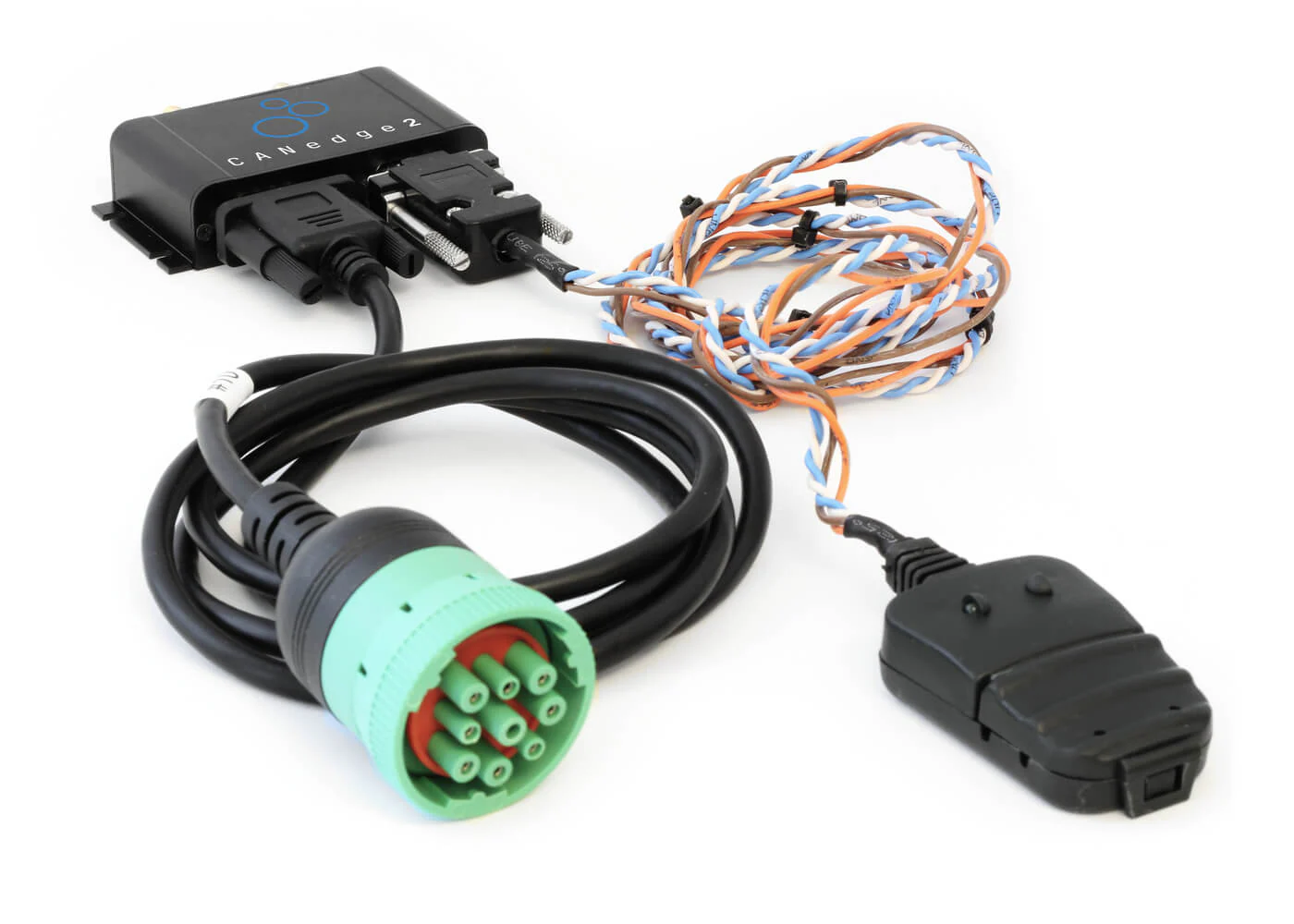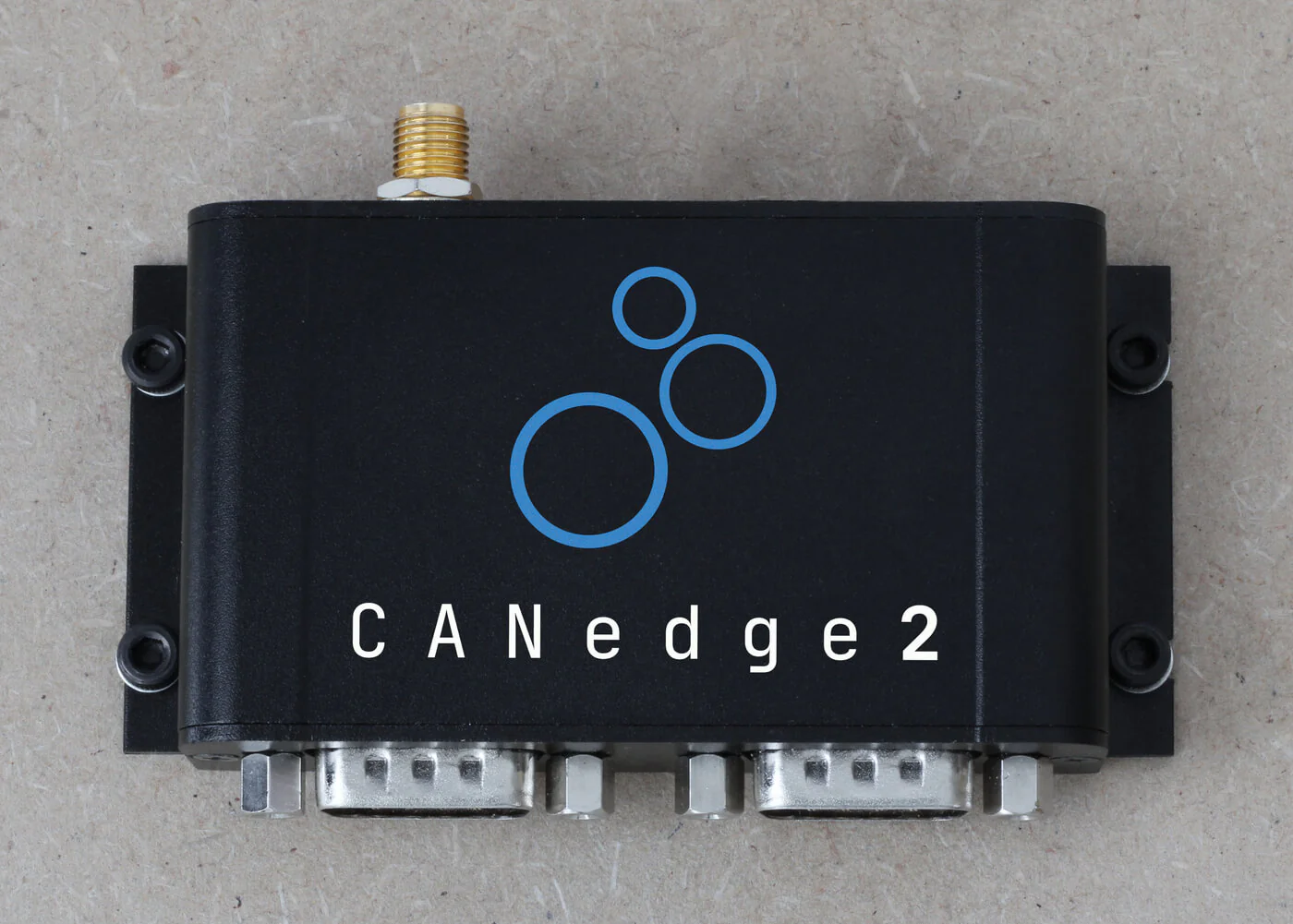
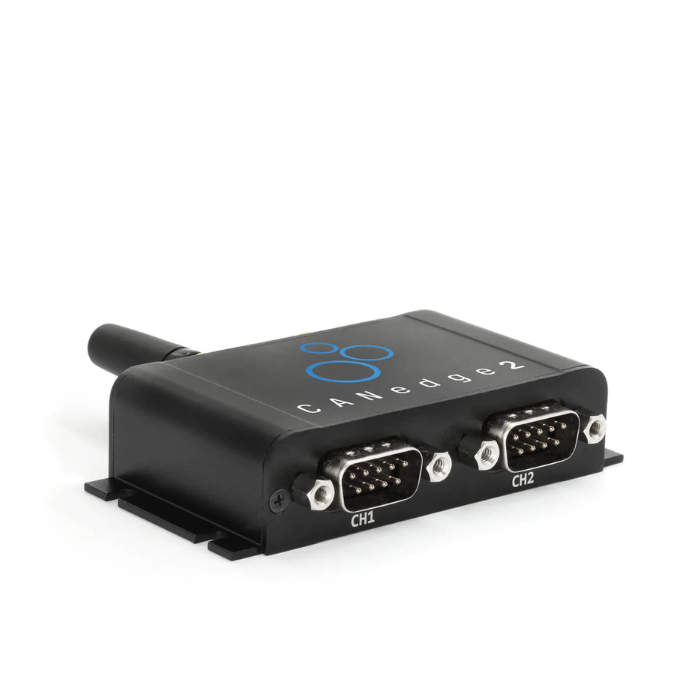
CANedge 2x CAN數據記錄器(SD + WiFi)

Functional overview

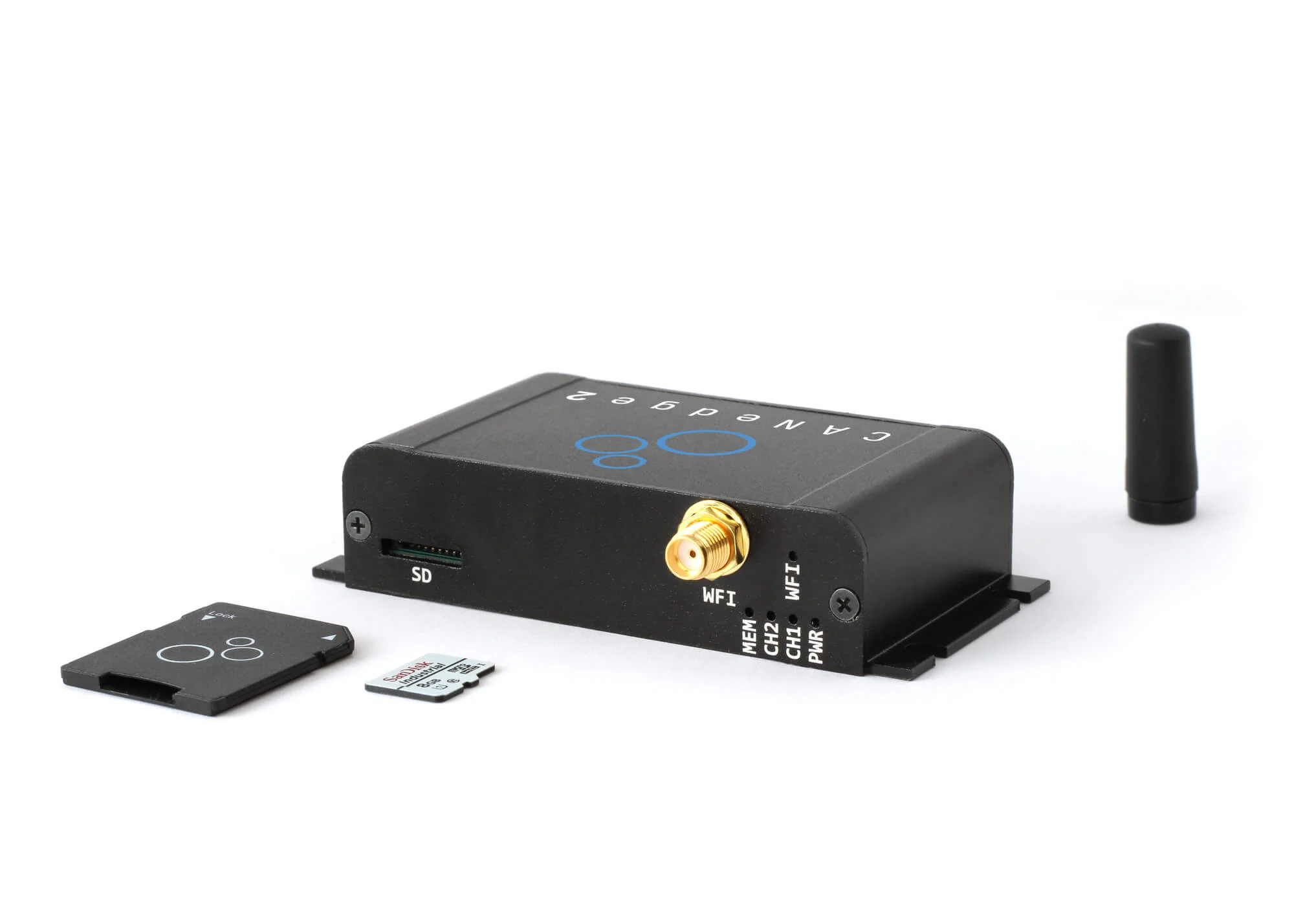
CANedge2 是高性能 2xCAN 數據記錄儀,支援 CAN FD 與 LIN 通道,內建 WiFi 模組,適合遠端數據管理。該設備記錄 8-32 GB SD 卡數據,並通過 WiFi 上傳至 S3 或本地伺服器,也可透過網頁伺服器提取。50 µs 精度 RTC 確保時間戳準確,內建加密與壓縮功能提升存儲效率。免費工具(如 asammdf GUI 與 Python API)支持數據轉換與視覺化,適合車輛測試、診斷及車隊管理。

Description

Professional Specification CAN Recorder - halves the cost

CANedge2 combines innovative design, state-of-the-art components - and incredibly low cost.

- 2 x CAN (incl. CAN FD) + 2 x LIN channels

- 8-32 GB industrial SD card withdrawable (= months of data)
- Popular binary MDF4 journal file format
- Advanced Message Filtering and Transmission Features
- CAN ID and data byte based start/stop logging triggers
- Silent Mode, Bit Rate Auto Detection, Cycle Recording
- Data compression and encryption (e.g. GDPR, CCPA)
- Supports CAN/LIN error frame recording.
- Fast start-up time. Safe disconnection during use (power safety)
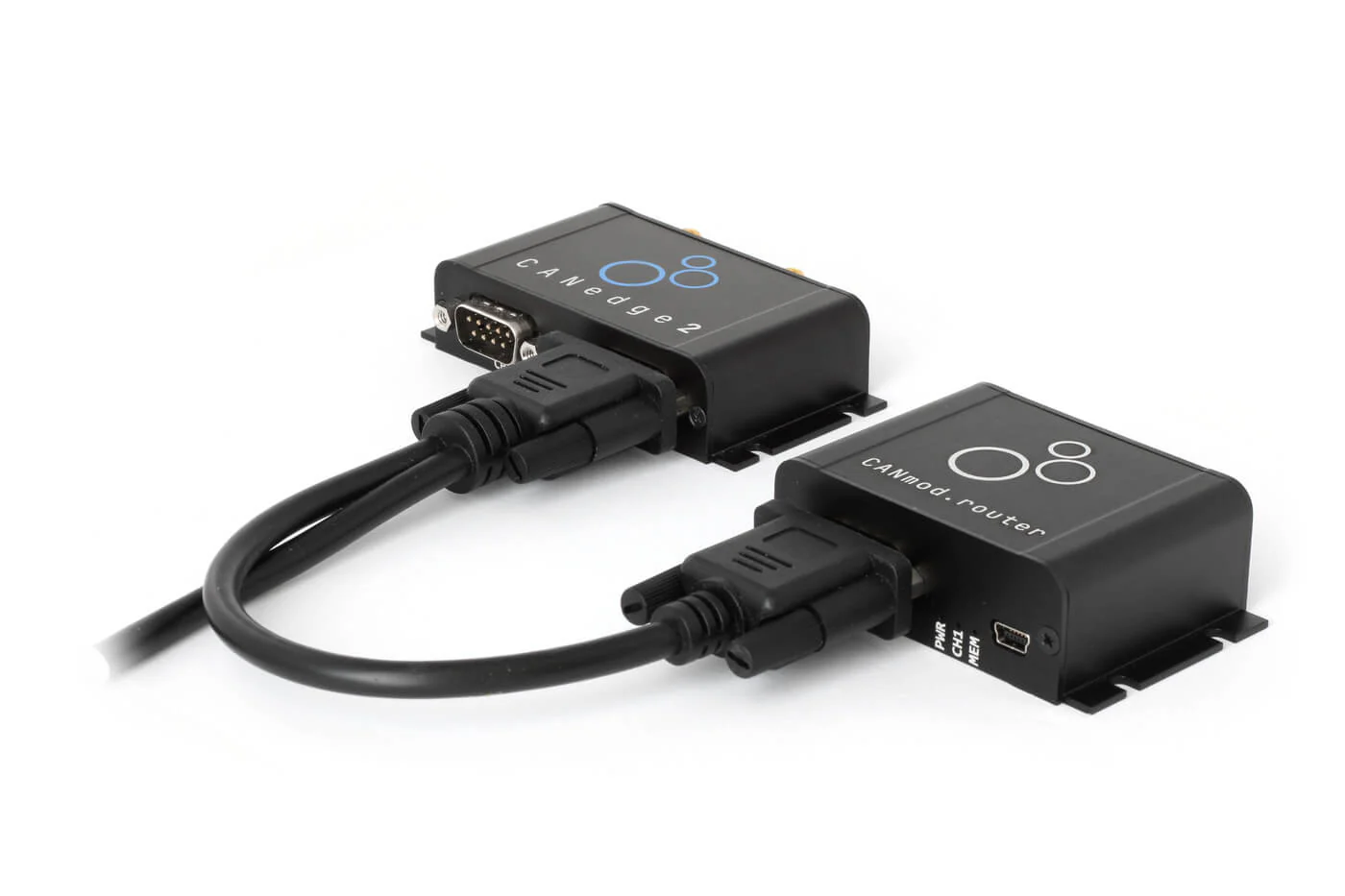
- Add CANmod, e.g. to record 5 x CAN or temperature/analog data.

Open Source Software/API

CANedge2 uses open formats (MDF4 data, JSON settings, S3 server) - all software/APIs are 100% free and open source.

This software toolkit provides the following features:

- Editor: Easily modify device configuration (online/offline)
- Converters: Convert data to multiple formats (e.g. Vector ASC, PEAK TRC, CSV, etc.)
- asammdf GUI: supports DBC conversion, data drawing and exporting.
- Python API: Automated Data Processing and System Integration
- Dashboard: Data visualization through custom browser dashboards
- CANcloud: Management of connected CANedge2 devices and data
- S3 Drive: Installing the S3 Server as a “Local Drive””

Reinventing Remote Information Processing

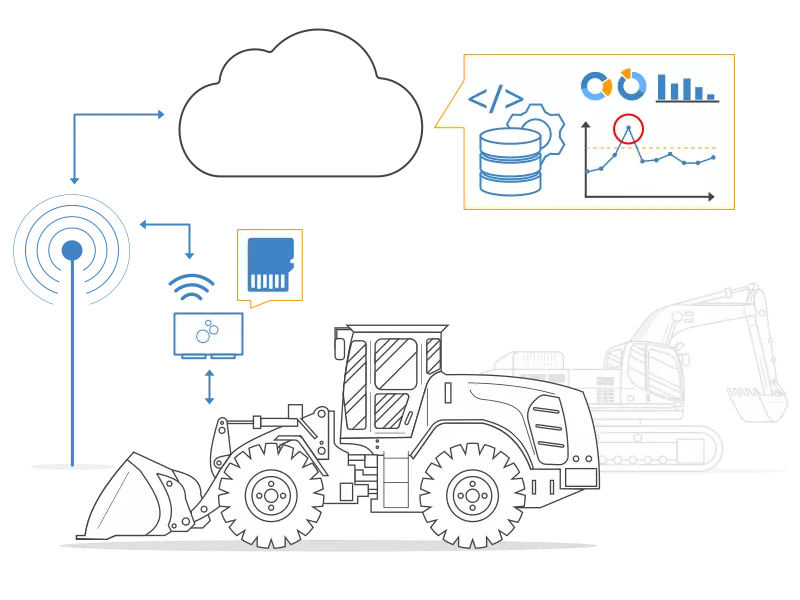
Today, remote fleet information processing is critical for vehicles and machines.

However, end users face challenges: expensive subscription fees. No data ownership. Security issues. Provider lock-in.

CANedge2 provides a modern replacement solution:

- Upload data to your own local/dedicated/cloud servers
- Simply add the WiFi access point and server details to the settings.
- Upload data to your own local/dedicated/cloud servers
- Simply add the WiFi access point and server details to the settings.
- Record data to SD and upload automatically when connected to WiFi.
- Set the file split size/period to control the upload frequency.
100% Security: HTTPS, certificate encryption, etc.
- Management via wireless updates (firmware and configuration)
- Zero cost. Zero locking. Interoperable. Open Source Tools
- Alternatively, use theWeb Server InterfaceExtracting data without a server

Specification

產品技術規格
Basic Description
functional獨立 CAN 總線資料記錄器,附 SD 卡、2xCAN/LIN 頻道(包括 CAN FD)和 WiFi
FirmwareSupports free firmware updates to add features
configureConfiguration files based on the popular open source JSON schema concepts
Software Free open source editor tool for easy device configuration (offline/online versions available).
Free open source CANcloud remote information processing platform for managing devices and data through a browser.
A variety of tools for installing your S3 server as a local drive for easy access.
Free open source asammdf software and API for editing, DBC conversion and plotting MF4 data.
Free Open Source MF4 Converter - Drag and drop journal files to convert to CSV, ASC, TRC and more.
Free open source Python API - e.g. for automated data processing, reporting or integration.
Free open source remote information processing dashboard for visualizing DBC decoded data in a browser.
surety CE-RED, FCC, IC, RoHS (please refer to the document), WPC ETA (India), RCM (Australia).
For Korea/Japan, use certified “PB” models with built-in WiFi antennas (KC, GITEKI).
Voltage transient (emission/resistance) test by TUV SUD, ISO 7637-2:2011 (see document).
Variations certified by Korea, Japan, etc. are available upon request (contact us).
Warranty Policy1 year warranty
support sth.Free, fast, high-quality support
originateDenmark
CAN bus
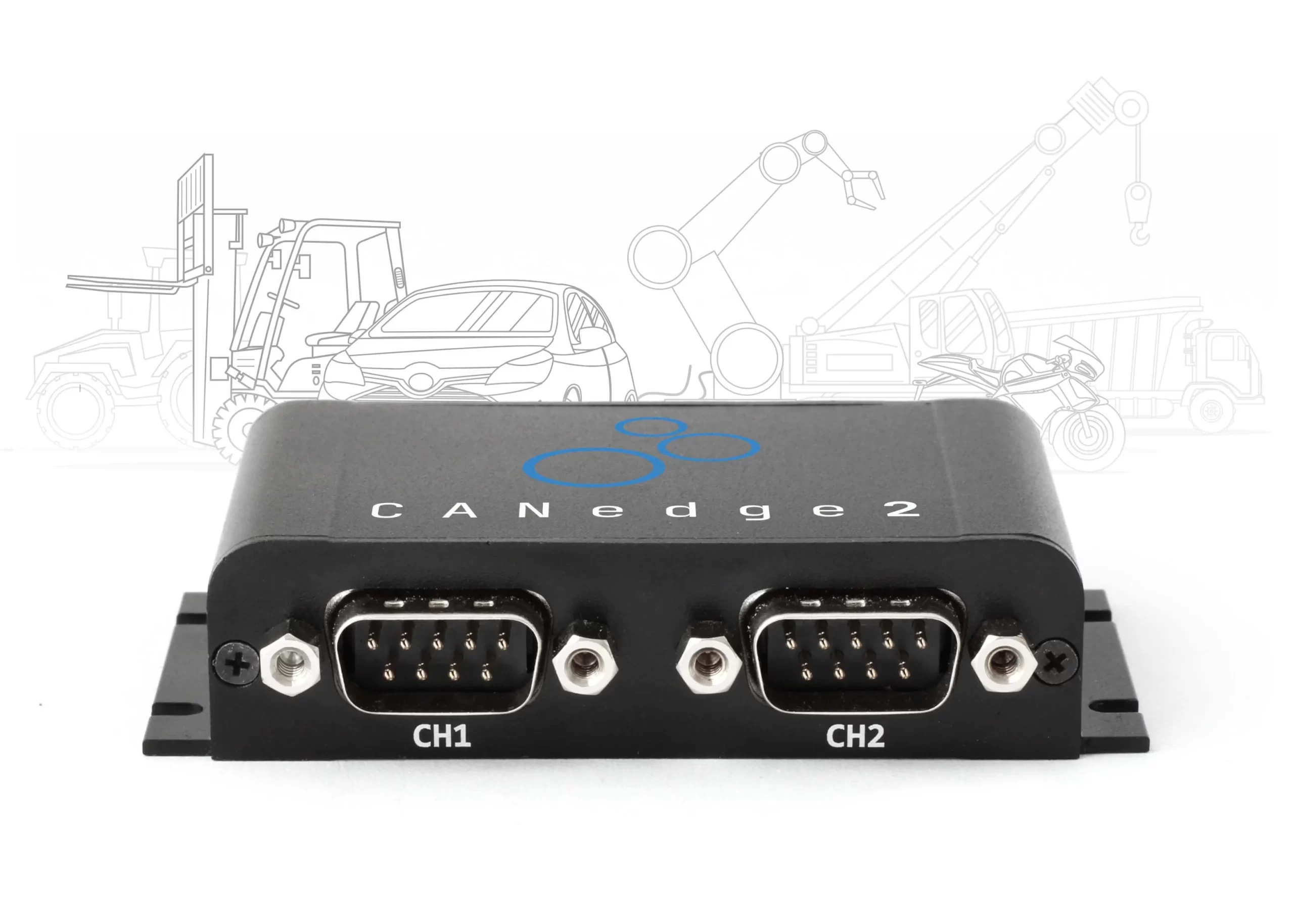
channel2 CAN channels (including CAN FD support)
StandardISO 11898: compliant with CAN (up to 1 Mbit/s) and ISO and Bosch CAN FD (up to 5 Mbit/s payload rate)
agreeRecording of raw data from CAN-based protocols (J1939/FMS, CANopen, NMEA 2000, OBD2, CAN FD, UDS, etc.)
identifierCAN specification 2.0A (11-bit ID) and 2.0B (29-bit ID) compliant
Bit Rate Auto DetectionBit rate can be detected automatically or set manually.
retransmissionConfigurable retransmission of lost arbitration or error-disturbed frames.
Transceiver Protection ±16 kV HBM ESD, ±15 kV IEC ESD, ±70 V bus fault, short circuit.
Common mode input voltage: ±30V.
TXD Apparent Timeout (prevents network blocking in case of failure).
LIN Bus
channel2 LIN channels
Publisher/SubscriberEach LIN channel can be configured as a LIN subscriber/publisher to support LIN data transfer
Customized LengthSupports customized frame length
StandardLIN 2.0 compliant up to 20 Kbit/s (classic and enhanced checksum formats supported)
Transceiver Protection ±8 kV HBM ESD, ±1.5 kV CDM, ±58 V bus fault.
TXD Apparent Timeout (prevents network blocking in case of failure).
Data Logging
SD cardIncludes 8 GB of extractable Class 10 industrial micro SD (SDHC) (optional 32GB) - reads at 80 MB/s I
Parallel CAN/LINSimultaneous data recording for up to 2 CAN channels + 2 LIN channels
Real Time Clock Yes - CAN frames are date and time stamped with 50 microsecond resolution (battery backed).
The RTC can be set to match the local time zone (default: UTC).
RTC 可以透過 WiFi 或 CAN 訊息自動同步(例如,來自精確的 GNSS 時間戳記)。
Journal File FormatRecord data in industry-standard binary MF4 (easy conversion to CSV, ASC, pandas, MATLAB, etc.)
Data CompressionConfigurable embedded log file compression (size reduction of about 50-80%)
Mute ModeConfigurable Silent Mode: Restricted (Confirmation Only) or Monitor (Zero Transmission)
filters128/64 regular/expanded ID filters per channel (range, mask, accept, reject)
PreshrinkingPre-scored CAN frames, e.g. recorded by time (every X milliseconds) or by data (e.g. if byte X or Y changes)
SendList of CAN frames transferred per channel (single/regular) - e.g. for OBD2 requests
CAN error frameSupports logging CAN error frames (bit fill, form, CRC, bit, acknowledge)
LIN Error FrameSupports logging of LIN error frames (checksum, receive, synchronize, transmit)
Remote Frame (RTR)Supports remote CAN frame (RTR) recording/transmission
Cyclic RecordOptional cyclic logging mode (the oldest log file will be deleted when the SD card is full)
Advanced TriggerControl signals allow you to start/stop recording based on customized CAN ID and data thresholds
CAN heartbeatOptionally transmits heartbeat CAN frames with device status, used storage space, and RTC time.
file splittingConfigurable log file split size (by size: 1-512 MB and/or by time period: 0-86400 seconds)
Power Safety100% Power safety data logging - no file corruption when disconnected
Unique Device IDEach device has a globally unique ID, ensuring that log files are named uniquely
Data EncryptionJournal files can be encrypted at rest on the SD card for security/GDPR/CCPA (including integrity checking)
Wireless
Transmission ModeStation Mode: Connects to a WiFi access point to transfer data.
agreeHTTP/HTTPS: Stable and Secure Transmission - Ideal for Remote Information Processing of Big Data
Access PointsAdd 1-4 WiFi access points. Priority. Signal strength conditions
Wireless (OTA)Wireless configuration and firmware (COTA/FOTA). Configurable synchronization rate. Option to deactivate
Wireless HeartbeatIf enabled, CANedge2 will periodically "check-in" to your server by uploading small device status files.
Data Upload StatusOption to disable/enable log file uploads (e.g. via wireless setup)
ScopePowerful coverage via external WiFi antenna
LAN StandardsIEEE 802.11 b/g/n
Frequency2.412-2.472 GHz (power output 18.5 dBm, 802.11b 11Mbps)
skylineExternal (SMA, <2 dBi gain). Expandable or replaceable via WiFi rooftop antenna, etc.
S3 Server InterfaceUpload data to your own cloud server (e.g. Amazon, Google, Azure) or self-hosted server (e.g. MinIO)
web server interfaceExtract data from SD via WiFi (via browser web page or REST API) - no server required
Wireless Network Security
HTTPSData and wireless updates can be sent over HTTPS (TLS 1.2) for secure transmission to the server
WPA/WPA2WPA/WPA2 support
Certificate EncryptionWiFi access points and S3 server credentials can be encrypted in the settings on the device's SD card.
Signature FirmwareFirmware updates are digitally signed to verify that they come from a trusted source.
User PolicyFully customizable CANedge device and end-user access through S3 policies
Electricity
Input Power+7V to +32V DC via Channel 1 DB9 (e.g. via CAN connector power pins)
Power ConsumptionVery low (~1 W) - no risk of battery exhaustion
Protection Reverse voltage protection for the CAN bus power supply.
Protection from transient voltage events on the power line.
mechanical
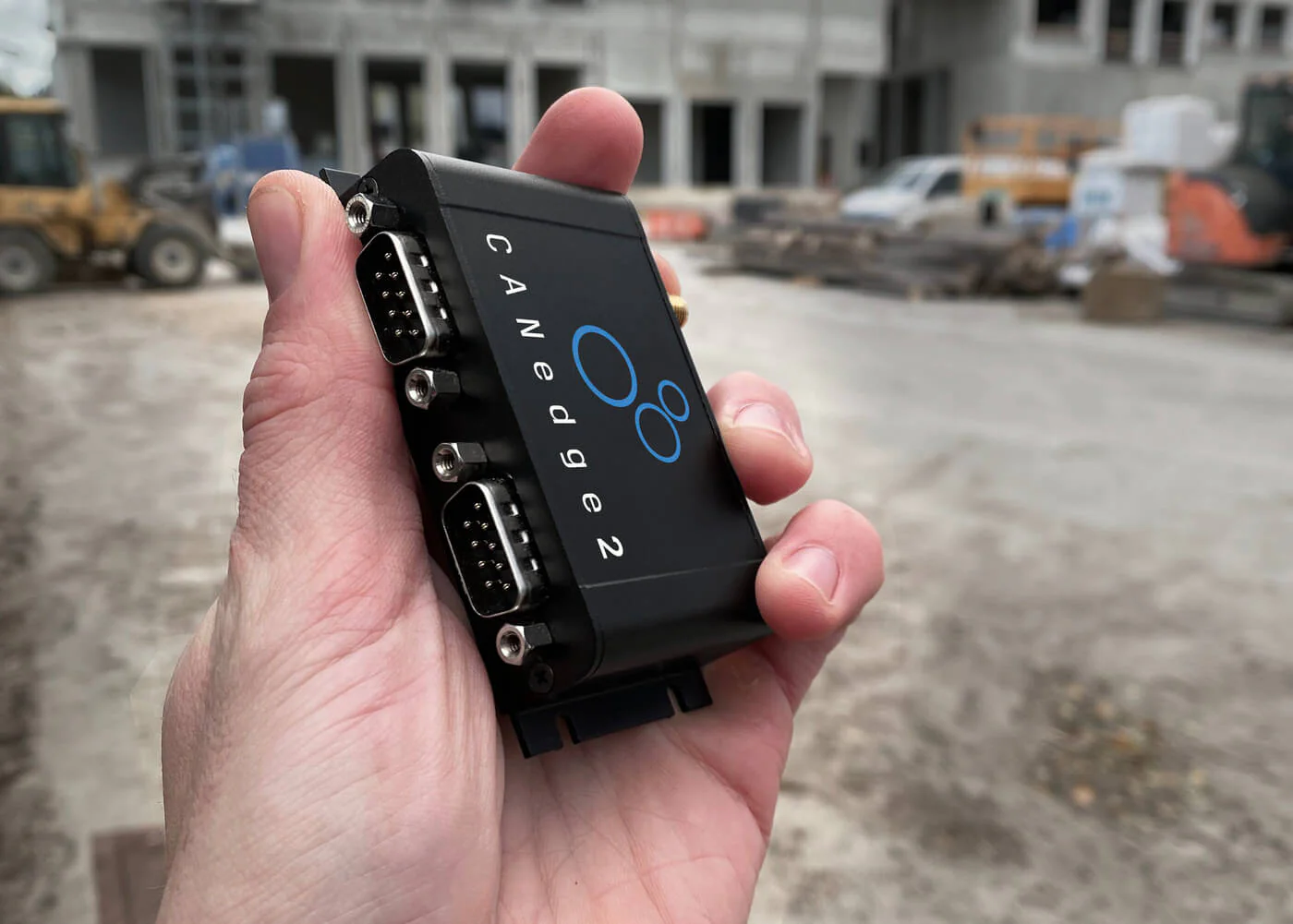
Casing and WeightCompact Aluminum Housing: 75 x 47 x 20 mm (W x L x H without flange and antenna connector) 100 grams
skyline包括WiFi 天線
FranceFlange with 4 x M3 screw holes (head diameter < 6 mm) - see also CANedge “Installation kit”
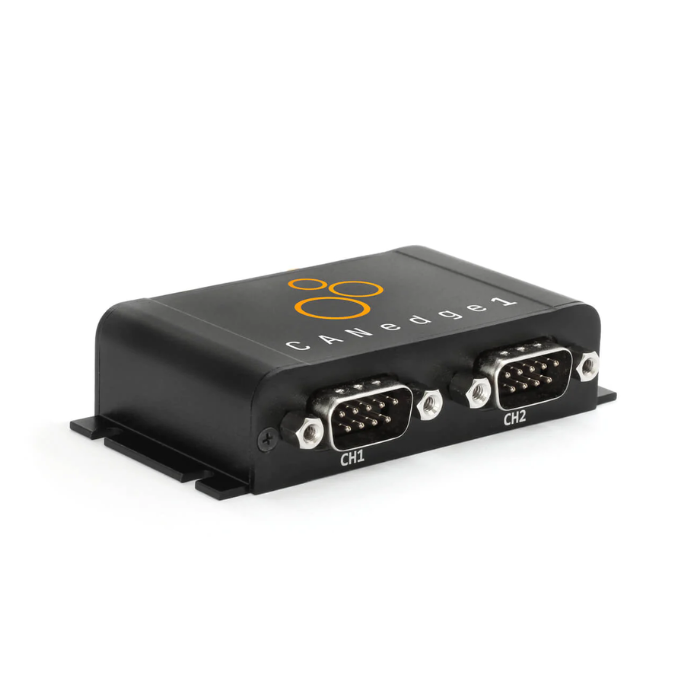
Connectors2 standard D-sub 9 (DB9) connectors (optional OBD2/J1939/...) Adapter)
Pin assignmentFor DB9 connector pinout, please refer to the product manual.
Configurable power outputsChannel 2 can be configured to supply 5V to external modules such as CANmod sensors to CAN modules.
LED透過 5 個外部 LED 指示記錄器狀態:電源、CH1、CH2、記憶體、WiFi
TemperatureOperating temperature (parts): -25°C to +70°C
Protection LevelDefense Level 40

Frequently Asked Questions

You can chooseCANedge with GNSS/IMU

In practice, this allows you to synchronize GNSS/IMU data with 2 x CAN/LIN data.

GNSS/IMU signals include position, speed, travel distance, attitude (roll, pitch, heading), altitude, acceleration and more. This data is added to the data log file internally as a "separate CAN channel" - you can configure the inclusion/frequency of each message. For more information, seeCANedge options, including. GNSS/Inertial Measurement Unit (IMU)

Note: The final results generated by the internal GNSS/IMU are the same as those that will be generated by theCANmod.gpsThe second port connected to the CANedge is essentially the same. However, by building the GNSS/IMU into the CANedge, the overall size and price is dramatically reduced, while enabling simpler installation and configuration. It also frees up the CAN channels on the CANedge.

The CANedge is the second generation of the CLX000. we generally recommend using the CANedge for data logging use cases, and primarily recommend using the CLX000 if you need to transfer data via USB.

Key improvements of the CANedge over the CLX000 include:

mechanical
- Captureable SD: Captureable SD to transfer data at 80 MB/s (compared to 0.5 MB/s for CLX000 via USB)
- Industrial SD: CANedge utilizes industrial SD cards for improved performance, life, temperature range, etc.
- Channels: 2 x CAN/LIN channels with parallel recording 2 x CAN + 2 x LIN
- Aluminum housing: The new housing is as compact as the CLX000, but more robust and offers mounting flanges.
- Power output: Power external modules, such as GPS to CAN or temperature to CAN modules, via a second port
- Robust Protection: CANedge has enhanced protection against voltage spikes, etc.

Log files and software/API
- MDF4 log files: popular binary MDF4 format, more compact than CSV, faster processing, supported by many CAN tools
- Configuration: Open source configuration editor can be used online/offline through your browser.
- JSON Schema: The profile is based on the standardized JSON Schema concept, which is supported by many open source tools.
- Converter: Open source lightweight converter to convert MDF4 drag and drop/CLI to e.g. *.csv and *.asc.
- asammdf GUI: Supports user-friendly MDF4 journal file editing, DBC conversion (including OBD2/J1939), graphic drawing, etc.
- Python API: Easy large-scale data processing and automatic creation of reports/databases/dashboards, etc.
- MATLAB: Log files are locally integrated with MATLAB's Vehicle Network Toolbox.
- Dashboards: Easily visualize your data in free customizable Grafana dashboards.

Data Logging
- Lossless: CANedge can record complete bus loads with zero message loss (CLX000 limited to ~800-1000 frames/sec)
- Compression: Optional compression reduces file size by up to 80% compared to CLX000.
- Encryption: Optional encryption allows you to encrypt log files on the SD card for added security.
- Advanced configuration: more advanced filters and transmission lists (e.g., up to 128 filters vs. 8 on the CLX000)
- Accuracy: 20x better RTC resolution (50 microseconds) with advanced RTC synchronization options
- Start-up time: Much faster than CLX000 (approx. 1 sec. vs. approx. 10 sec.)
- CAN FD: CANedge supports CAN FD (Flexible Data Rate), making it future-proof!
- Trigger: Controls when to start/stop recording/transmission based on customized CAN signal thresholds.
- Error frame: CANedge supports CAN/LIN error frame recording.
- LIN Slave/Master: The CANedge can act as both a LIN slave and a LIN master (publisher).

GNSS/IMU + connection
- GNSS/IMU: The CANedge supports optional built-in GNSS/IMU functionality.
- WiFi: CANedge2 supports WiFi data transfer to your own cloud/self-rack servers (including OTA updates)
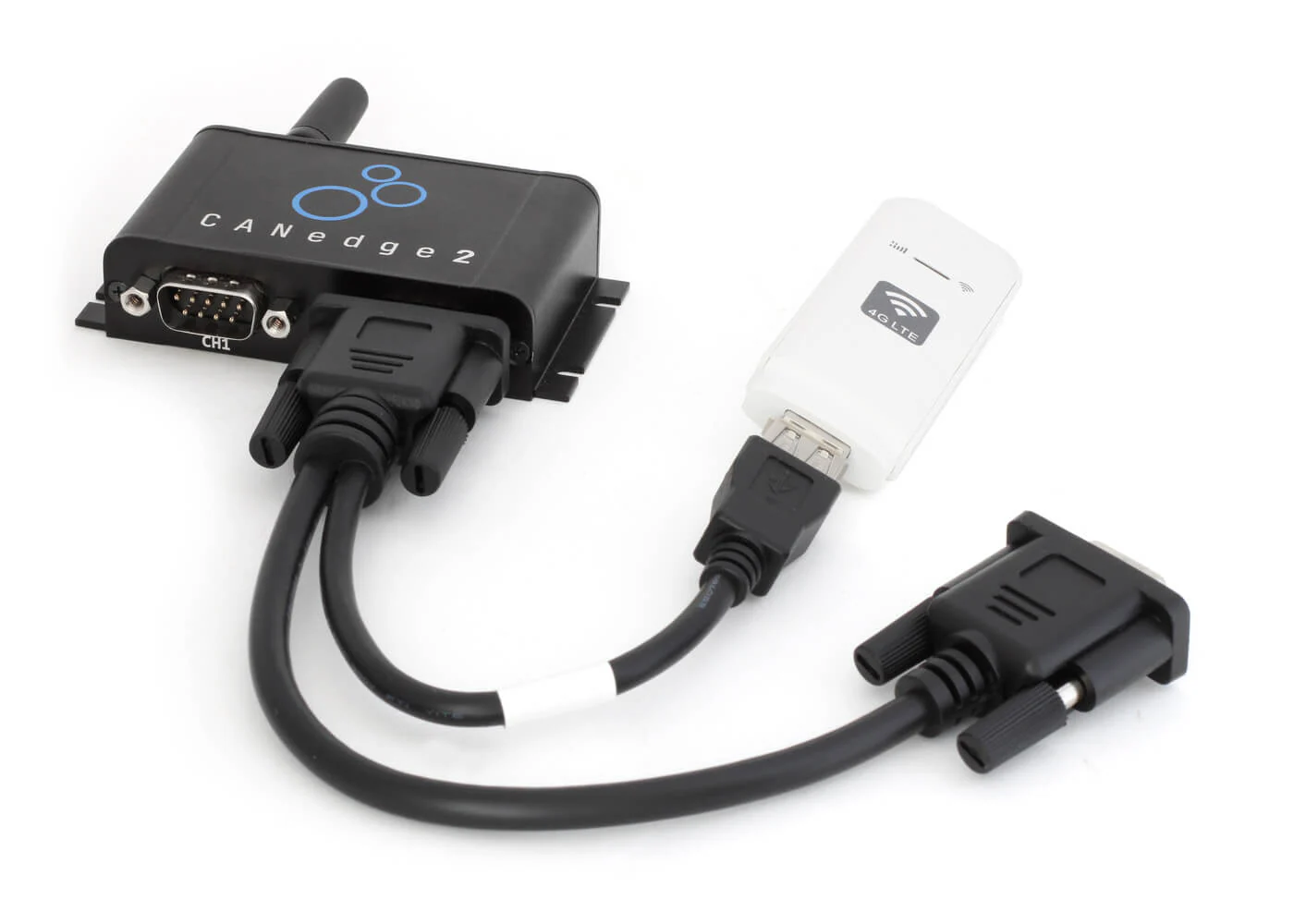
- 4G LTE: CANedge3 supports 4G LTE data transfer to your own cloud/self-rack servers (including OTA updates)

In addition to CANedge2CANedge1 and CANedge2 100% are the same, except for the WiFi function in the CANedge1 and CANedge2 100%.

If you only need to collect CAN data rarely and the device is easily accessible physically, then CANedge1 is usually sufficient. However, if you need to collect data frequently and ideally remotely, then the CANedge2 quickly pays for itself. In particular, if you need to collect data across fleets or machines, CANedge2 is more practical and cost-effective.

CANedge2 has the added advantage that you can fully automate data collection and data processing workflows. For example, you can set up automatedPython APIScripts to modify data, perform DBC decoding, such as setting up theRemote Information Processing DashboardThe CANedge2 is also easier to manage in the field. CANedge2 is also easier to manage in the field, as you canCANcloud Remote Information Processing PlatformMonitor status and perform operations such as wireless configuration and firmware updates.

For use cases where a WiFi network is available, we recommend CANedge2. If you need to upload data via 4G LTE (cellular), we recommend CANedge3.

CANedge is designed to provide "professional specification" CAN/LIN recorders in the market.Optimal value/cost ratio.

In particular, it is distinguished from similar devices by the following factors:

- Professional specifications: CANedge offers specifications equivalent to the best available recorders.
- Compact: CANedge Smaller than similar devices 50-80%
- Low Cost: The CANedge costs 50-80% less than similar devices.
- Easy to use: the device can be used directly without configuration
- FOSS: All software/API tools are 100% free and open source.
- Interoperable: open standards and tools can be integrated into any system - no lock-in
- Free Support: We offer free, first-class technical support.

In addition, CANedge2 can automatically upload log files to your own server via WiFi:

- SD + WiFi: Automatically upload data via WiFi - and buffer data on SD when WiFi is not available
- Your Server: Retain 100% ownership and control of your data by uploading it to your cloud/self-racking server.
- Security: CANedge2 implements end-to-end enterprise-level security.

These factors make the device an excellent choice for automotive/industrial OEM engineers.

For use cases that require the addition of GNSS/IMU, we recommend the option ofBuilt-in CANedge for GNSS/IMU

For other sensor inputs (temperature, analog, digital, pulse...) you can connect external sensors to the CAN module to the device. In particular, ourCANmodThe Sensor to CAN module can be easily integrated with the CANedge.

Specifically, the CANedge's second port provides 5V DC voltage to the external module for easy installation. Data from the connected sensor to the CAN module is logged in the CANedge log file along with data from the other CAN/LIN channels.

For example, consider ourCANmod.temp Temperature to CAN module orCANmod.input Analog/digital/pulse to CAN module.

The size of the original MF4 journal file depends on the application and the amount of data you want to record.

The following overview shows a typical example of a heavy-duty truck (J1939 data) with a display speed of 700 frames per second. Obviously, if you record everything, an 8 GB SD card will allow you to record data 24/7 for about 7 days, and 32 GB for about 26 days.

However, CANedge supports powerful options for optimizing the size of log files. Therefore, a more realistic scenario is shown below, where for example a 32 GB SD allows you to log more than 800 days.
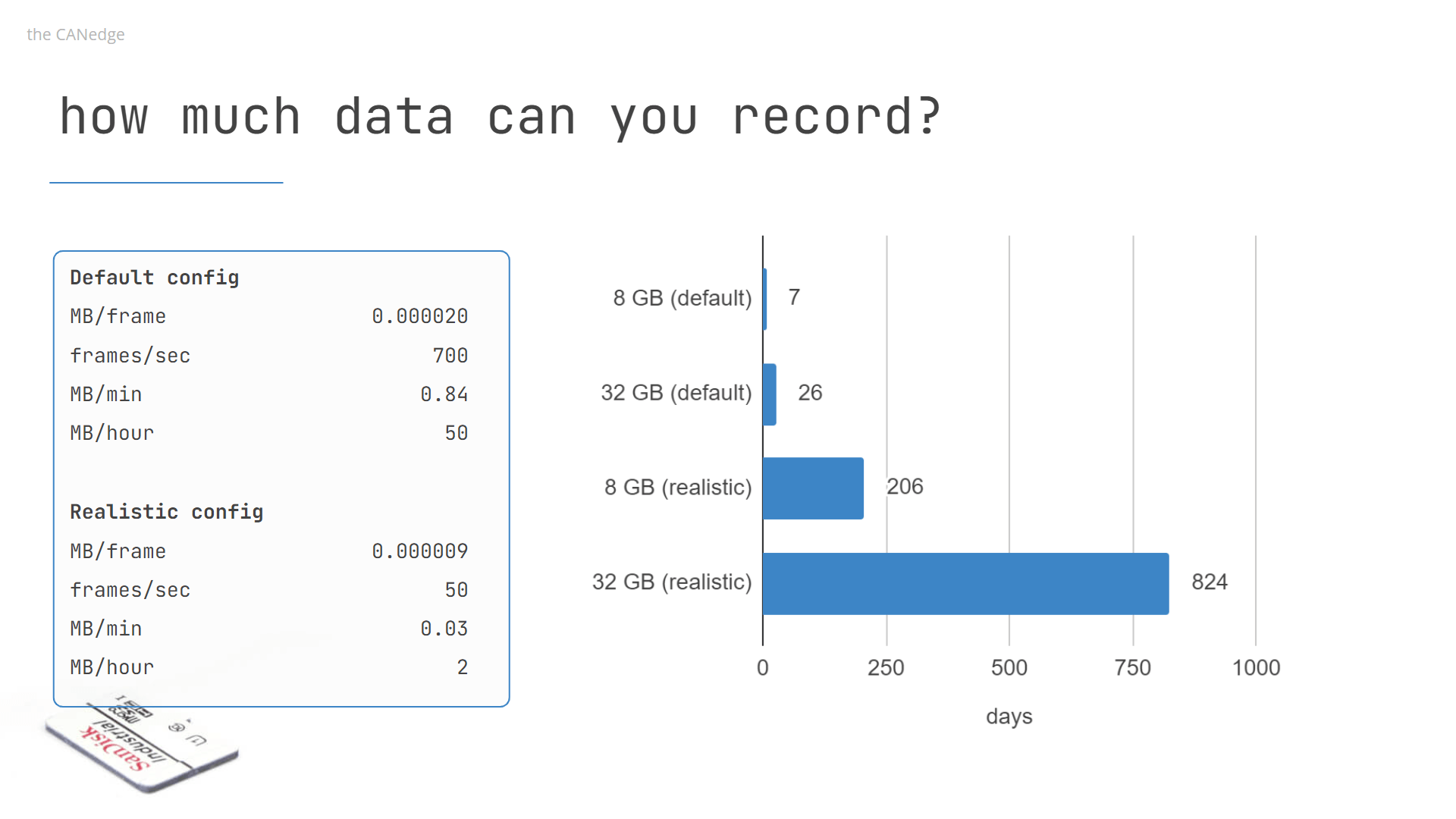
CANedge SD卡存儲

Below we have listed some of the key features that will allow you to optimize your journal entries:

- Compression:Enable compression to reduce data size by 50-80%

- Filter:Specify CAN IDs to record/ignore (through range and mask)

- Pre-scaler:Instead of recording frames at their "original" frequency, you can customize the frequency with the CAN ID.

- Control signal:Specify when to start/stop recording based on specific CAN signal thresholds

If the SD is full, cyclic logging allows the CANedge CAN recorder to continue logging data by deleting the oldest log file first.

Compared to the CL2000, the CANedge1 CAN logger is superior at logging data to an SD card. However, CANedge1 does not support real-time streaming over USB. We recommend using the CL2000 for this type of use.

For a general introduction to CAN logging with CANedge, please refer to our45-minute webinar

Below, we outline the basics of how to get started recording raw CAN data:

- Connect the CAN logger to the CAN bus (optionally with our adapter cable)
- The device boots up, detects the bit rate and starts recording raw data to the SD card.
- Disconnect the device, extract the SD and insert it into the PC.
- existasammdf GUI/APIetc. to open the original log file for DBC decoding and visualization.

Next, you canSetting up your own serverAnd set CANedge2 to connect to your WiFi to upload log files automatically. After connecting the device, it will automatically upload the log files if there are log files on the SD card. After successful upload, the log file will be deleted from the SD card.

For more details on getting started, see CANedgePresentations and papers- or in case of any doubt.Please contact us.

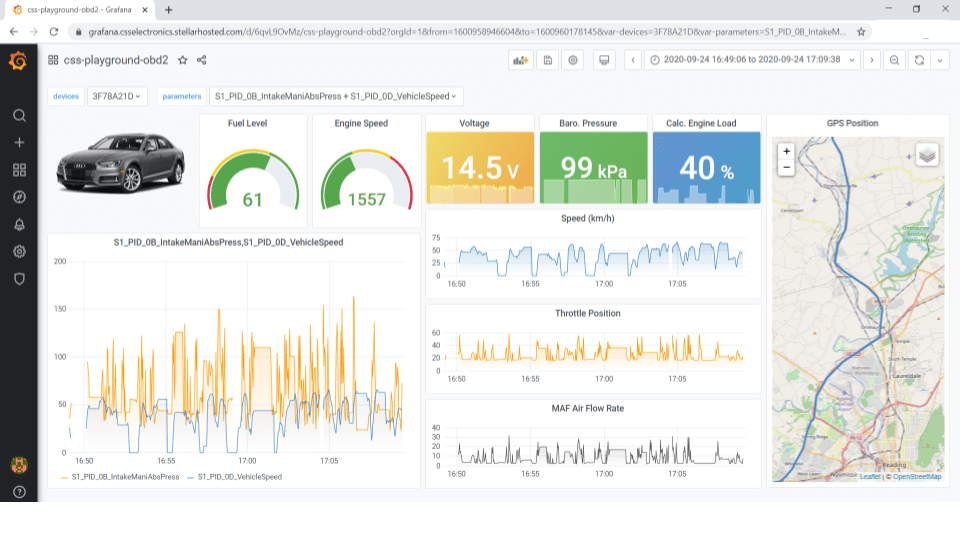
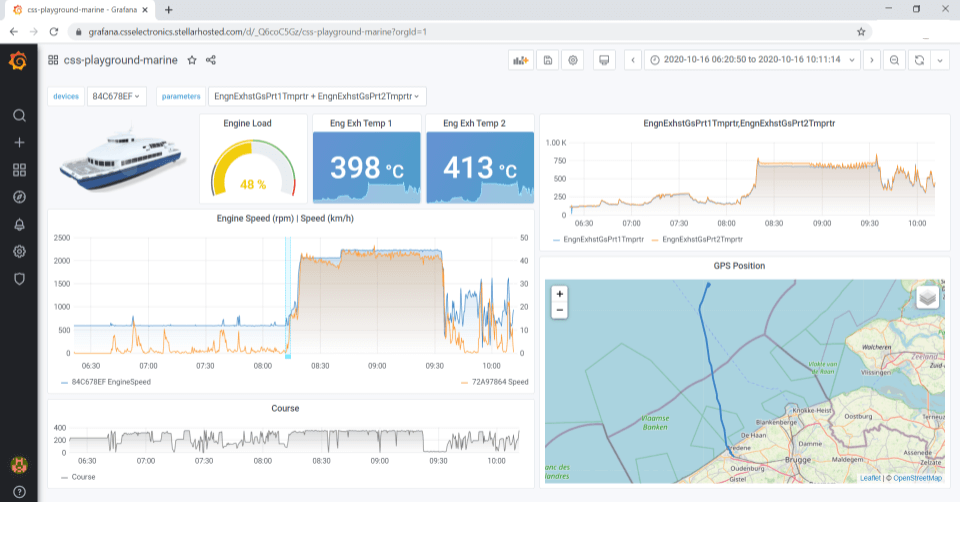
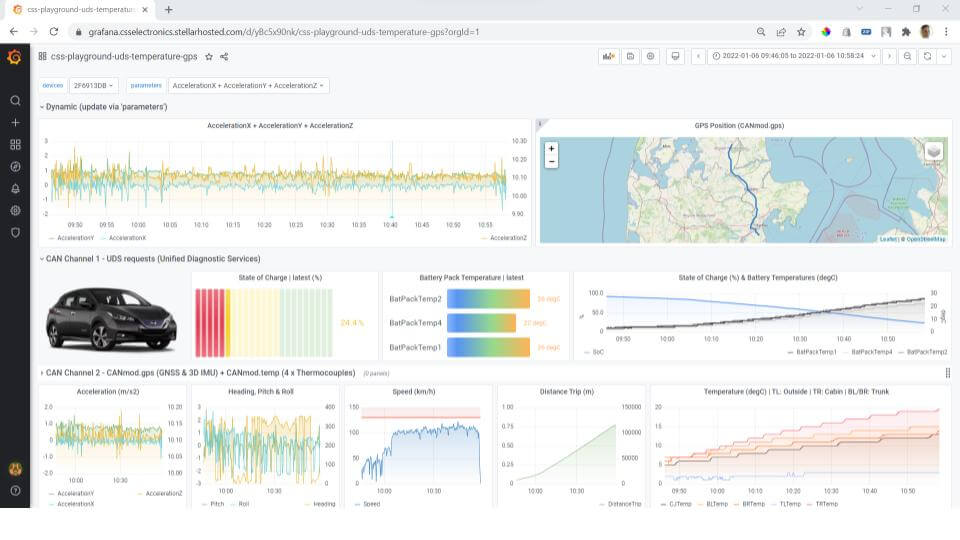
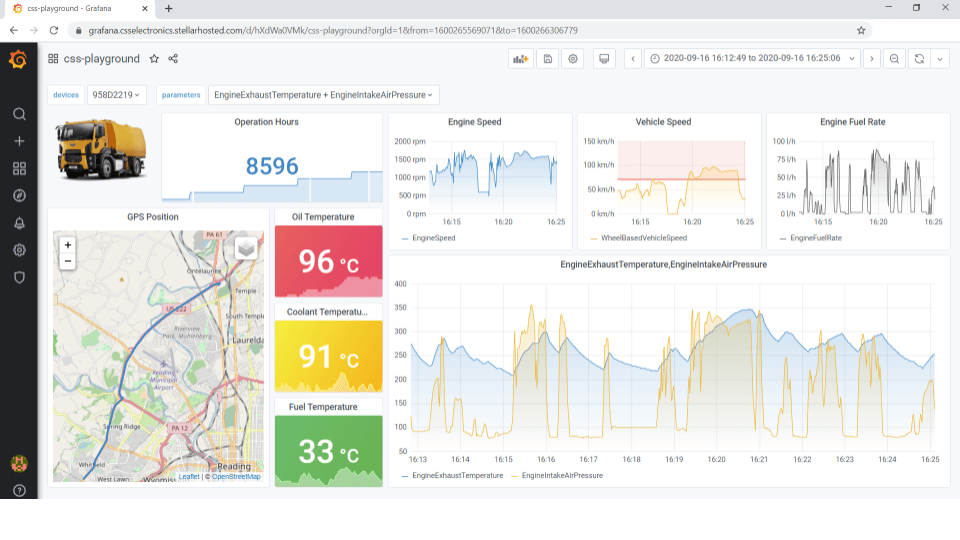
Yes, you can use our step-by-step guide to set up the 100% free, customizableRemote Information Processing DashboardThis will allow you to visualize your CAN bus data in your browser. This integration uses our freePython APITo DBC decode raw CAN data (from local disks or S3 servers) and push it to a time series database. From here, the data can be visualized with the popular dashboard tool Grafana, allowing for fully customized dashboards - such asJ1939 Remote Information ProcessingOBD2 Remote Information ProcessingMarine Remote Information ProcessingPredictive Maintenanceetc.

For specific examples, please refer to the playgrounds below:
CANedge2 can upload log files to any S3 server. This includes cloud servers such as AWS, Google Cloud, Wasabi, Digital Ocean and others. It also includes self-hosted open source S3 servers such as MinIO.

Self-architecting a MinIO S3 server on Windows/Linux (or Pi) is easy - see ourIntroduction。 MinIOis a 100% free, open source, lightweight solution. Just download it and start it - you can set up WiFi CAN bus data transfer.
Honghong will provide you with any support you need!

Our professional Honghong team will be the first to respond and provide you with the best service to solve all your problems.