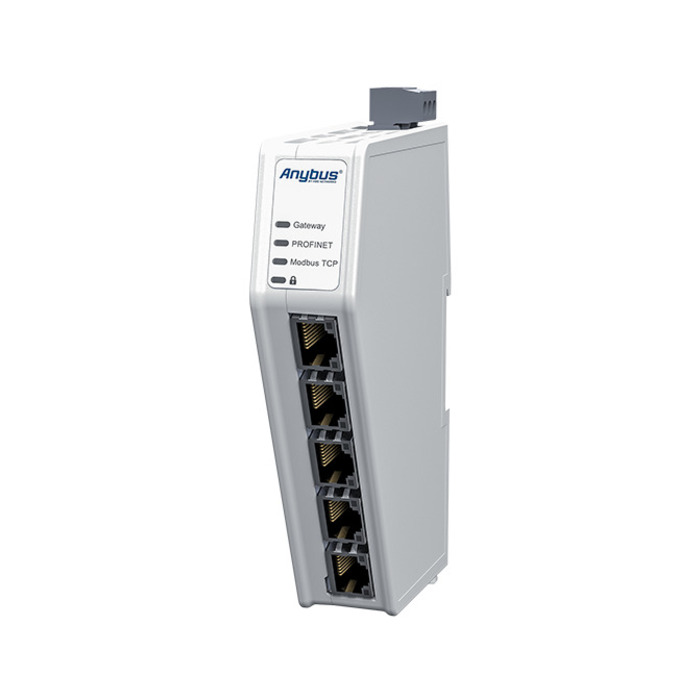
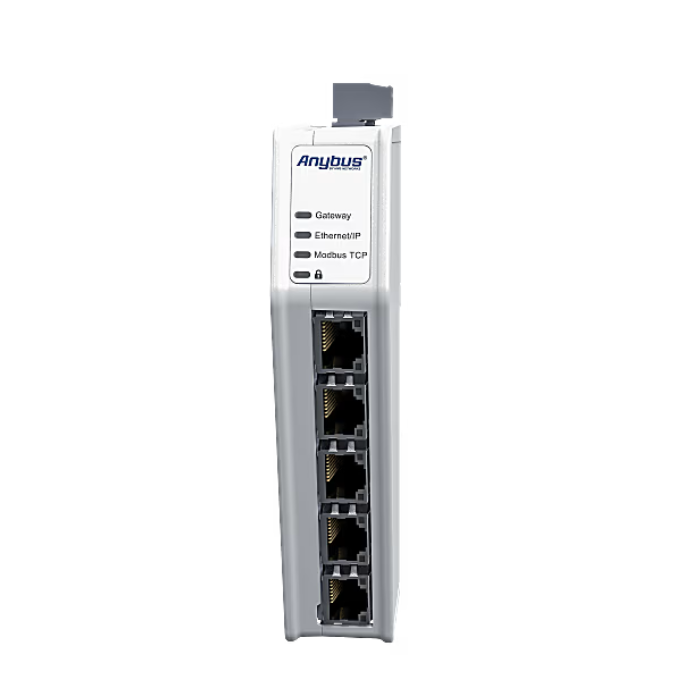


Anybus Communicator - EtherNet/IP adapter - Modbus TCP server

Functional Overview.

The Anybus Communicator ABC4011-A connects to Modbus-TCP servers in EtherNet/IP adapter mode with the award-winning NP40 network processor and hardware byte conversion for millisecond data updates on the PLC side. The intuitive web interface provides drag-and-drop configuration, real-time data analysis, log export, and automatic support package generation. The IP20 industrial-grade enclosure and DIN-rail mounting design with safe startup and lockout features, as well as a five-year industrial warranty and full lifecycle HMS firmware updates, ensure a long-term safe and reliable heterogeneous interoperability solution.

Description

Product Features

  • Intuitive User Interface: Web-based drag-and-drop configuration with support for real-time data analysis, log export and support package generation.
  • Enhanced Network SecuritySupport for secure startup and security switches, lockdown configurations; production ports can be deactivated to protect against unauthorized changes and malware.
  • High Performance Data Processing: Utilizes the award-winning NP40 network processor and high-end components to meet the demands of high traffic and high-speed transmission.
  • Optimized hardware designIP20 rated, DIN rail mounted, forward ported design allows for proximity deployment and reduced cabling requirements.
  • Hardware accelerated real-time conversionThe word byte conversion is performed by hardware, saving PLC processing time and maximizing the performance of high-speed industrial networks.
  • Real-time Diagnostic Tools: Interface displays connection status and I/O mapping for quick generation of complete support documentation.
  • Brand CustomizationPre-configurable customer-specific colors and logos on hardware and user interface.

Specification

技術規格表
Properties Specification
Physical Characteristics
Buttons Factory settings restored, DIP and rotary switches, safety lock switches
Connectors/Inputs/Outputs 2 x RJ45 (communication), 2 x RJ45 (communication), 1 x RJ45 (configuration)
Battery included
Certifications and Standards
CE
UL
UL Information E214107: Ord.Loc UL 61010-1; CSA C22.2 No. 61010-1; UL 61010-2-201; CSA C22.2 No. 61010 -2-201
ATEX
KC
Electromagnetic Compatibility (EMC)
Federal Communications Commission (FCC)
Environmental Standards EN 55016-2-3 Level A; EN 55032 Level A; EN 61000-4-2/3/4/5/6
Waste-to-Energy Certification (WEEE)
WEEE category IT and telecom equipment
Protection Class (IP) IP20
RoHS compliant
Recycling/Disposal
Identity and Status
Former model AB7632-F
Product Code ABC4011-A
ECCN (Export Control Classification Number) 5A991.b.1
dual-use
Origin Sweden
branding Anybus
HS Code 8517620000
Model Code 40-ETH-ETH-B
General Specifications
Net Width (W) 27 mm
Net Height (H) 144 mm
Net Depth (D) 98 mm
net weight 150 g
Packaging Width 35 mm
Packaging Height 170 mm
Filling depth 115 mm
Package Weight 185 g
Installation DIN rail (EN 50022)
Current consumption (typical) 90 mA @ 24 V DC (2.2 W)
Current consumption (max.) 125 mA @ 24 V DC (3 W)
Input Voltage 12-30 V DC
Power Connector 3-pin 5.08 mm Phoenix Plugs
Reverse polarity protection
Short Circuit Protection
isolation
Working Temperature -25 °C ... +70 °C
Storage Temperature -40 °C ... +85 °C
Shell Material PC ABS, UL 94 VO
Packaging Materials Cardboard
warranty period 5 years
Modbus-TCP Function
paradigm Slave/Server
Support Specifications Modbus V1.1b3; 4 connections; daisy-chained
Bandwidth 10/100 Mbit/s
Input Data Size 1500 Bytes
Output Data Size 1500 Bytes
Supported Functions 1, 2, 3, 4, 5, 6, 15, 16, 23, 43/14
Ethernet/IP Features
paradigm Adaptor/Subordinate
Support Functions Bitwise Packet Order Translation; QoS; Class 1 & 3; Fast Connections Class B; DLR (Beacon Mode); Daisy Chaining; CT19 ODVA Consistency
Bandwidth 10/100 Mbit; Cycle time ≥ 1 ms
Input Data Size 1448 Bytes
Output Data Size 1448 Bytes
Settings Available EDS

Frequently Asked Questions

Applicable Products

All Anybus Communicator

Question

The red LED of the module Gateway LED is always on, and other LEDs are not on, you cannot enter the built-in interface of the gateway, and you cannot ping the setup port.

responsive

1. Reset the module to the factory settings:Reset Anybus Communicator to Factory Settings

2. Reboot the module, the gateway LED should blink red and you can enter the built-in setting interface.

3. If not, check the contents of the linked article.Unable to access Anybus Communicator's built-in web interface


This article shows you how to reset Anybus Communicator to its factory settings.

Applicable Products

All ABCxxxx products.

Prerequisites

Export the Anybus Communicator configuration file. After restoring the factory settings, all setup information will return to normal.

In this article.

  1. Disconnect power to the communicator.
  2. Use a sharp object (such as a ballpoint pen) to press and hold the Reset button.
  3. Press and hold the Reset button to reconnect the communicator to the power supply.
  4. Release the reset button.
    The communicator enters an abnormal state.
  5. Reboot the communicator.

Additional Information

How to Upgrade Anybus Communicator Firmware

Honghong will provide you with any support you need!

Our professional Honghong team will be the first to respond and provide you with the best service to solve all your problems.