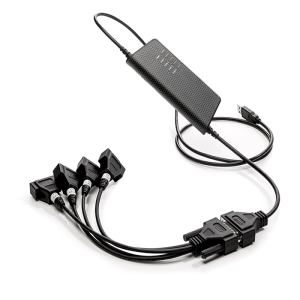
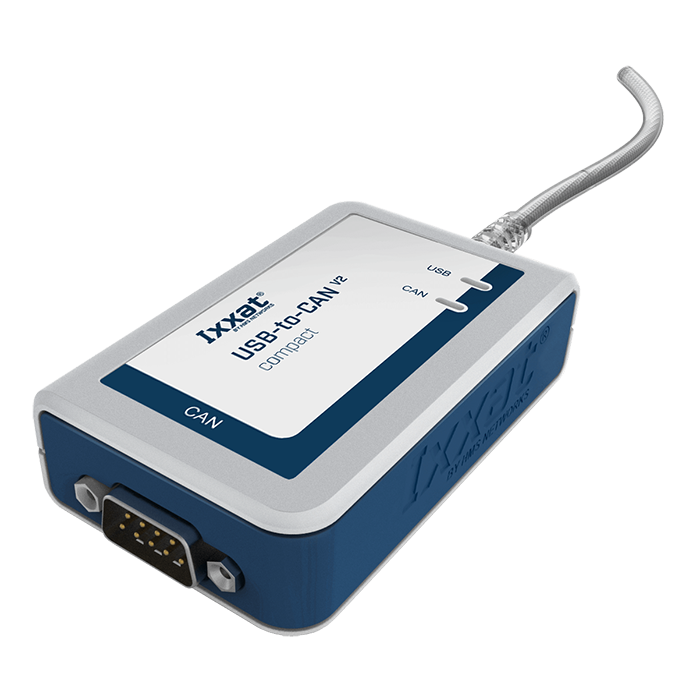
Ixxat USB-to-CAN V2 Compact Interface
Functional overview
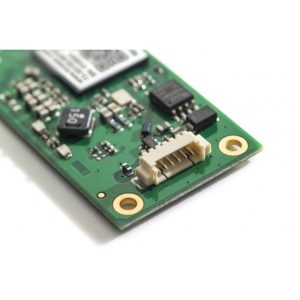
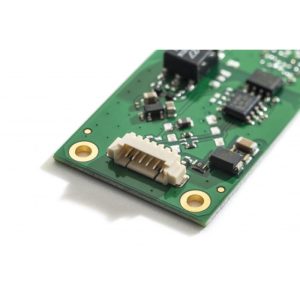
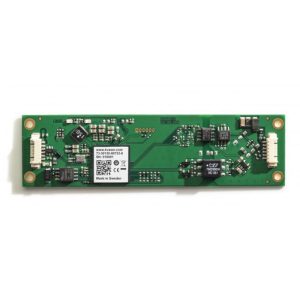
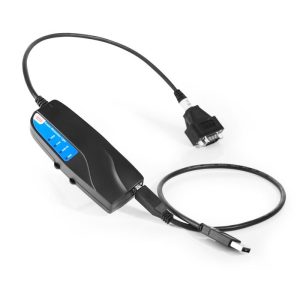
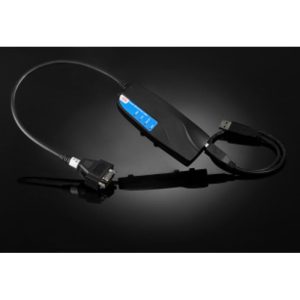
Ixxat USB-to-CAN V2 緊湊型是一款專為 CAN 網路設計的高效介面模組,結合高速 USB 2.0 和電流隔離特性,提供精準的資料傳輸與高效能處理。其多平台驅動程式支援 Windows、Linux 和即時作業系統,適合廣泛的工業與汽車應用場景。隨附 canAnalyser3 Mini 軟體,能快速實現 CAN 網路的分析與監控,幫助開發者降低成本,加速產品上市。
Description
Products
Features and Benefits:
• 透過為工業和汽車應用提供多功能整合選項,簡化電腦與基於 CAN 的網路的連接。
• 原生 USB 2.0 高速 (480 MBit/s) 可確保快速資料傳輸以及與 USB 1.1 和 USB 3.x 的兼容性。
• 提供高資料吞吐量和最小延遲,確保快速且有效率的資料處理滿足苛刻的需求。
• Ixxat VCI 驅動程式套件支援多種現場匯流排,並允許在不同 PC 介面類型之間輕鬆切換。可免費下載。
• Ixxat canAnalyser3 Mini 包含在 VCI V4 下載套件中,可實現分析和監控 CAN 網路的第一步。
• 提供經濟高效的解決方案,以經濟的價格提供高性能。嚴苛應用的理想選擇,且無需犧牲品質。
• 高精度板載時間戳可實現精確的資料追蹤和監控。
• 電流隔離可防止過壓並防止潛在的電氣損壞。
• 提供適用於 Windows (VCI)、Linux (ECI) 和即時作業系統(根據要求)的多功能編程接口,從而實現跨多個作業系統的靈活開發。
交付內容:USB-to CAN V2 介面、使用手冊,可免費下載:CAN 驅動程式 VCI、簡單 CAN 監視器“canAnalyser Mini”
• 淨寬度:50 毫米
• 淨高度:80 毫米
• 淨深度:22 毫米
• 淨重:105 克
Power & Current
• 電流消耗類型:48毫安
• 輸入電壓:USB 連接埠提供 5V DC
• 電源連接器:USB
• 隔離:1 kV DC 1 秒,500 V AC 1 分鐘
Operating Temperature Range
- Minimum operating temperature: -20°C
- Maximum operating temperature: 70°C
- Storage temperature range: -40°C to 85°C
- Relative humidity: 10 to 95 %, non-condensing
makings
• 外殼材料:PC ABS,符合 UL 94 VO 標準
- Packaging material: cardboard
• 保固期(年):1年
- CE certification: Yes
• 美國 FCC:是
- Waste Electrical and Electronic Equipment (WEEE) Category: IT and Telecommunications Equipment
• 防護等級 IP:IP40
• 連接器:1 個 D-Sub 9 連接器、1 個 USB A 型連接器
- Pool included: No
• CAN 模式:CAN 高速(ISO 11898-2:2016)
- CAN Transceiver: TI SN65HVD251
• CAN 波特率:10 kBit/s 至 1 Mbit/s
• CAN 控制器:CAN 2.0 A/B
Frequently Asked Questions
The VCI driver suite is essential for connecting Windows-based applications or Ixxat toolkits to USB-to-CAN devices. It supports various Windows versions, including Windows 11, and acts as a server, allowing multiple applications to access the interface simultaneously. In addition, a single application can access multiple PC interfaces to extend the CAN channel. Steps to set up the Ixxat VCI Driver Suite:
1. Download the VCI driver:
The VCI driver suite can be downloaded from the official Ixxat website. Make sure to select the correct version for your operating system, including the latest Windows 11 version.
2. Install the VCI driver:
After downloading the software package, follow the on-screen installation instructions. The installation process will configure drivers for all connected USB-to-CAN V2 devices.
3. Connect the USB-to-CAN V2 to the VCI driver:
After installation, connect the USB-to-CAN V2 device to your computer. The driver will recognize the device and enable it to be used with Windows-based applications.
4. Use the supplied canAnalyser Mini software:
The VCI driver suite includes the Ixxat canAnalyser Mini software free of charge, which allows you to activate the system by monitoring and transmitting CAN messages.
The Ixxat VCI Driver Kit supports all Ixxat CAN interface panels. The VCI programming interface is the same for all Ixxat CAN interfaces. Normally, the board selection in the application program automatically uses the first available Ixxat CAN interface. Therefore, whether internal PCI, PCIe, PCIe Mini or external CANblue II, CAN@net/VCI or USB-to-CAN V2 - just change the CAN interface and start your application. Usually no changes to your application program are required.
如果所使用的應用程式僅支援特定的 Ixxat CAN 介面板類型或特定的序號,例如出於安全原因,您需要將應用程式中的板選擇調整為新的特定板或自動檢測,如果您希望更加靈活。您可以在 VCI 程式設計手冊中找到說明。如果出現任何困難,我們的技術服務團隊將為您提供支援。
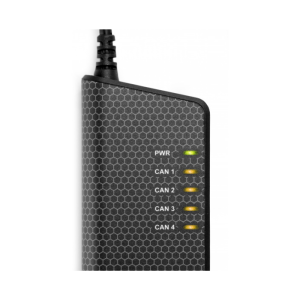
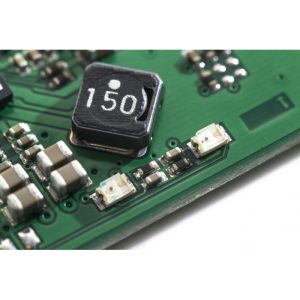
The USB LED on the USB-to-CAN V2 indicates the status of USB communication. When the LED is illuminated in red, it usually indicates a problem or error with USB communication, as described in the hardware manual. Refer to the LED Status Guide in the hardware manual for specific LED behavior and troubleshooting.
由於 SSD 引起的系統啟動時間差異,具有韌體版本 1.4.0 的 USB-to-CAN V2 版本 1.0 可能偶爾無法在配備固態硬碟 (SSD) 的 PC 上運行。這可能會導致 USB 啟動期間出現通訊問題。若要解決此問題,建議將韌體更新至至少版本 1.5.4。韌體版本 1.5.4 包括使用 SSD 時 USB 啟動的改進,確保更可靠的操作。