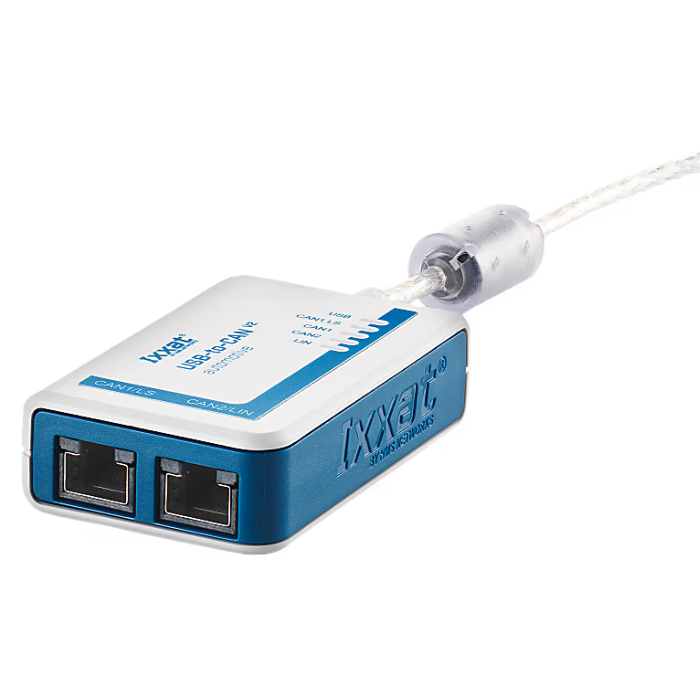
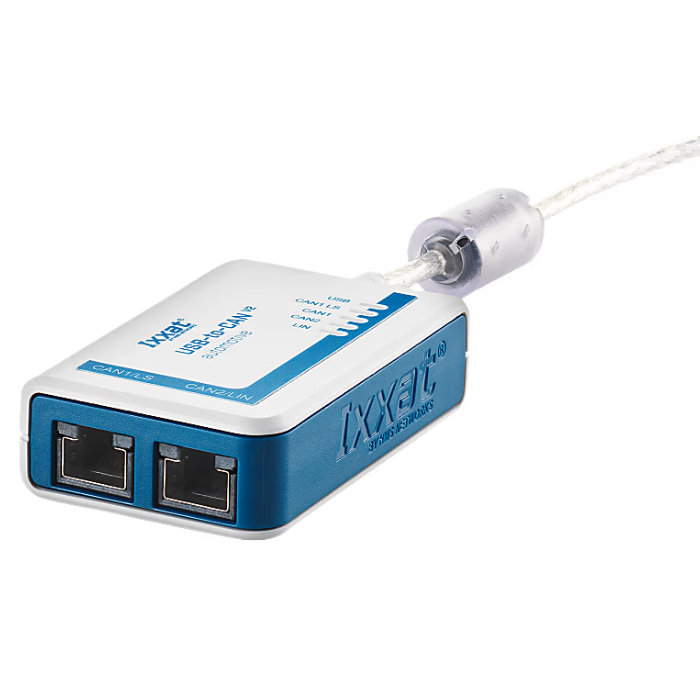
USB-to-CAN v2 professional
Function Overview:
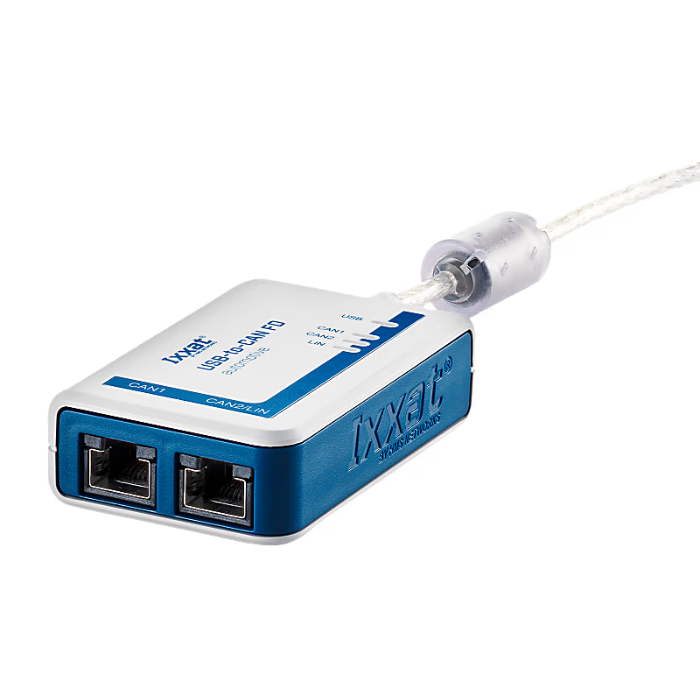
The Ixxat USB-to-CAN V2 Professional is a highly efficient CAN interface adapter designed for industrial applications with dual CAN channels, current isolation and overvoltage protection to ensure stable and safe system operation. The Hi-Speed USB 2.0 connection enables fast data transfer and supports a wide range of operating systems and a powerful API interface. The included canAnalyser3 Mini base analysis software makes monitoring, maintenance and testing of CAN networks easy and suitable for multiple scenarios.
Description
Products
Features and Benefits:
• Multi-function CAN network connection: A variety of integration options are available to simplify the connection of CAN networks in industrial and automotive applications.
• Economically efficient: Cost-effective, high-performance solutions for demanding applications with high performance without compromising quality.
• Dual CAN connection: Equipped with two CAN channels, two independent CAN bus systems can be connected simultaneously via RJ45 connectors.
• High-speed USB connection: USB 2.0 Hi-Speed (480 MBit/s) provides fast data transfers and is compatible with USB 1.1 and USB 3.x.
• Highly accurate timestamps: On-board timestamp function for accurate data tracking and monitoring.
• Highly efficient data processing: High data throughput and minimal latency for demanding needs.
• Overpressure protection: Current isolation prevents overvoltage and protects equipment from electrical damage.
• Full driver support: The Ixxat VCI driver supports multiple buses, allowing easy switching between different PC interface types.
• Powerful programming interface: Provides versatile APIs for Windows, Linux, and real-time operating systems, enabling cross-system development.
• Analysis software is included: canAnalyser3 Mini (included in the VCI V4 download kit) for basic analysis and monitoring of CAN networks.
• Adapter Cable: Two RJ45 to 9-pin D-Sub adapter cables are included to quickly establish a CAN connection.
Deliverables
- USB-to-CAN V2 Interface, User's Manual, 2 x CAN adapter cables (20 cm, RJ45/Sub-D9 connector)
- Free Download: CAN Driver VCI, Easy CAN Monitor "canAnalyser Mini", Programming Examples
General Specifications
• Net Wide: 50 mm
• Net height: 80 mm
• Net Depth: 22 mm
• Net weight: 164 grams
Power & Current
• Type of current consumption: Vcc Nominal 48 mA
• Maximum current consumption: 300 mA (5V DC)
• Input Voltage: 5 V DC via USB
• Power connector: USB
• Isolation: 1 kV DC 1 sec, 500 V AC 1 min
Operating Temperature Range
• Minimum operating temperature: -20°C
• Maximum operating temperature: 70°C
• Storage temperature range: -40°C to 85°C
makings
• Shell material: PC ABS to UL 94 VO standard
• Packaging Materials: Cardboard
• CE certification: 是
• U.S. FCC certified: 是
• Waste Electrical and Electronic Equipment (WEEE) category: IT and telecom equipment
• UK CA accreditation: 是
• Protection class IP: IP40
• Connector: 2 RJ45 connectors, 1 USB Type A connector
• Batteries included: 否
• CAN mode: CAN High Speed (ISO 11898-2:2016)
• CAN Transceiver: TI SN65HVD251
Frequently Asked Questions
The VCI driver suite is essential for connecting Windows-based applications or Ixxat toolkits to USB-to-CAN devices. It supports various Windows versions, including Windows 11, and acts as a server, allowing multiple applications to access the interface simultaneously. In addition, a single application can access multiple PC interfaces to extend the CAN channel. Steps to set up the Ixxat VCI Driver Suite:
1. Download the VCI driver:
The VCI driver suite can be downloaded from the official Ixxat website. Make sure to select the correct version for your operating system, including the latest Windows 11 version.
2. Install the VCI driver:
After downloading the software package, follow the on-screen installation instructions. The installation process will configure drivers for all connected USB-to-CAN V2 devices.
3. Connect the USB-to-CAN V2 to the VCI driver:
After installation, connect the USB-to-CAN V2 device to your computer. The driver will recognize the device and enable it to be used with Windows-based applications.
4. Use the supplied canAnalyser Mini software:
The VCI driver suite includes the Ixxat canAnalyser Mini software free of charge, which allows you to activate the system by monitoring and transmitting CAN messages.
The Ixxat VCI Driver Kit supports all Ixxat CAN interface panels. The VCI programming interface is the same for all Ixxat CAN interfaces. Normally, the board selection in the application program automatically uses the first available Ixxat CAN interface. Therefore, whether internal PCI, PCIe, PCIe Mini or external CANblue II, CAN@net/VCI or USB-to-CAN V2 - just change the CAN interface and start your application. Usually no changes to your application program are required.
If the application used only supports a specific Ixxat CAN intermediate panel type or a specific serial number, e.g. for any safety reasons, you need to adjust the board selection in the application to the new specific board or to the automatic detection if you want to be more flexible. You can find instructions in the VCI Programming Manual. If any difficulties arise, our technical service team will support you.
The USB LED on the USB-to-CAN V2 indicates the status of USB communication. When the LED is illuminated in red, it usually indicates a problem or error with USB communication, as described in the hardware manual. Refer to the LED Status Guide in the hardware manual for specific LED behavior and troubleshooting.
USB-to-CAN V2 cannot run with Oracle VirtualBox (free version) because this version only supports USB 1.1 standard. USB-to-CAN V2 requires USB 2.0, and the free version of VirtualBox does not support USB 2.0. Therefore, USB-to-CAN V2 does not work properly in this environment.
To solve this problem, you may consider upgrading to a version of VirtualBox that supports USB 2.0, or using another virtualization tool that offers full USB 2.0 compatibility. This creates a more secure development and testing environment for developers using USB-to-CAN V2.
USB-to-CAN V2 version 1.0 with firmware version 1.4.0 may occasionally not run on PCs with solid state drives (SSDs) due to system boot timing differences caused by SSDs. This may cause communication problems during USB startup. To resolve this issue, it is recommended that the firmware be updated to at least version 1.5.4. Firmware version 1.5.4 includes improvements to USB booting when using SSDs to ensure more reliable operation.