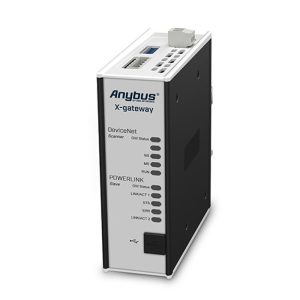
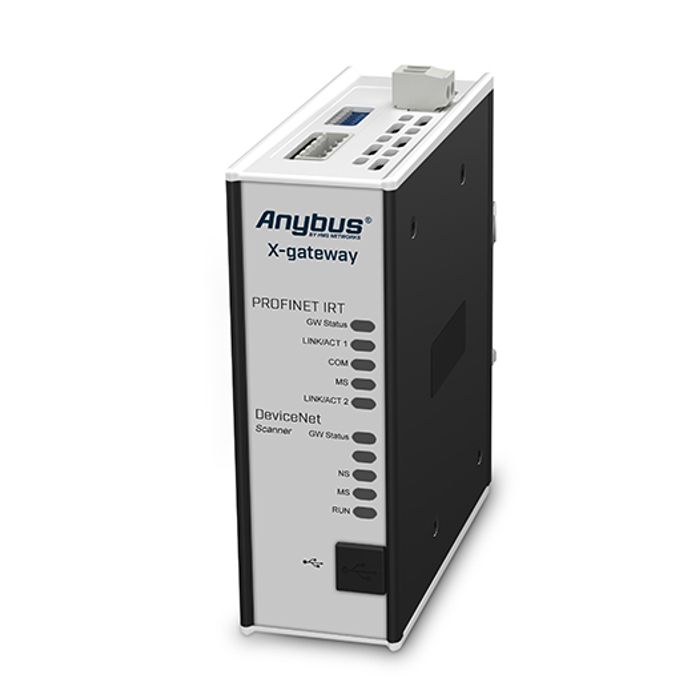
DeviceNet Scanner - PROFINET-IRT Device
Anybus X-gateway allows you to seamlessly and internally connect PLC controls and their connected devices between DeviceNet and PROFINET-IRT networks.
Fast copying of I/O data
The main function of the X-gateway is the fast transfer of cyclic I/O data between two networks. This eliminates the need for additional calculation work by your PLC. The gateway acts as a slave on both networks. The data transfer is completely transparent and has a maximum data capacity of 512 bytes in each direction.
Easy to configure - no programming required!
The connection between the two networks is quickly established using the Anybus Configuration Manager software included in the X-gateway. No programming skills are required for the gateway setup. This is because the X-gateway is factory defaulted with a predefined I/O size of 20 bytes.
Description
Features and Benefits
- Fast recovery of cyclic I/O data between two networks (10-15 ms)
- Validated and tested by all PLC manufacturers
- Powerful scanner interface eliminates the need for PLC controllers on DeviceNet networks
- Supports up to 512 bytes of input and output data in each direction.
- By using data from other connected devices, it is possible to create web pages that display and control processes at the plant level.
- Fast, dynamic transfer of fieldbus data to Microsoft Windows-based SCADA/HMI/enterprise systems via the included Anybus OPC Server
- Optional control and status information can be added to the I/O data for diagnostic purposes.
- Rugged, self-contained housing for use in harsh industrial environments
- Free worldwide technical support and consultation
DeviceNet Scanner/Master Features
When an off-the-shelf DeviceNet control PLC is not available, the Anybus X-gateway with integrated DeviceNet scanner interface can be used.
- ODVA's DeviceNet Conformance Test™.
- DeviceNetNet Specification Version: Communication Adapter Specification 12
- Supports up to 63 DeviceNet adapters/slaves.
- Maximum 512 bytes of input data and 512 bytes of output data
- Optional online device list showing active status of connected adapters
- DeviceNet baud rate 125, 250, 500 kbit/s
- Supports I/O slave messages: bit-pass, polling, cyclic, COS, and explicit messages.
- MacID node address setting via DIP switch
- DeviceNet scanner/adapter network configuration via built-in web interface or RSLogix/Studio 5000 software
- 1x 5-Pin, 5.08 Phoenix Plug Connector
PROFINET IRT device/slave interface
PROFINET IRT device/slave setup can be accomplished via the built-in web interface, or by importing the supplied .GSDML file into the control PLC's engineering tool.
- Full PROFINET RT and IRT Functional Specification 2.3
- Undergoes conformance testing and supports Class A, B and C.
- Maximum 512 bytes of input data and 512 bytes of output data
- Baud rate 10/100 Mbit/s isochronous synchronization cycle time 0.25 to 4 ms (25 Us increments)
- SNMP-MIBII Support
- TCP/IP configuration via DCP (Discovery and Configuration Protocol)
- LLDP (Link Layer Discovery Protocol)
- Support for I&M (Identification and Maintenance)
- PROFINET uplink configuration via .GSDML file
- Dual-Port Cutting-Edge Switch
- Dual RJ-45 ports at the same time
- PROFINET Asset Management
Technical Specifications
| Dimensions (L-W-H) | 114 x 44 x 127mm or 4,49 x 1,73 x 5,00″ |
| Weight | 400g or 0,880 lbs |
| Operating temperature | -25 to +65 °C or -13 to +149 °F |
| Storage temperature | -40 to +85 °C or -40 to +185 °F |
| Power supply | 24 VDC +/- 20% via 2-pole 5.08 mm Phoenix pluggable screw connector |
| Current consumption | max. 400mA (Typical 200mA) |
| Enclosure material | Aluminium and plastic |
| Installation position | Vertical / Flat* |
| Galvanic isolation | YES, on both BUS/Ethernet side |
| Mechanical rating | IP20, NEMA rating 1 |
| Mounting | DIN-rail (EN 50022 standard) |
| I/O configuration | via USB port with Anybus Configuration Manager software |
| Certifications | CE., CULUS, RoHS |
Ordering Information
| Order Code | AB7501 |
|---|---|
| Deliverables | Gateway Quick Start Documentation USB Configuration Cable 不 Includes power supply Configuration software available for download |
Warranty: 3 years. For purchase instructions and terms and conditions, please contactsupport@hongtronics.com