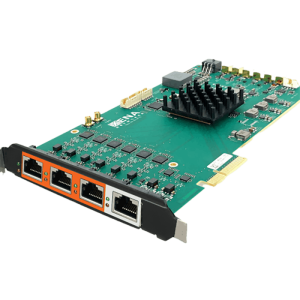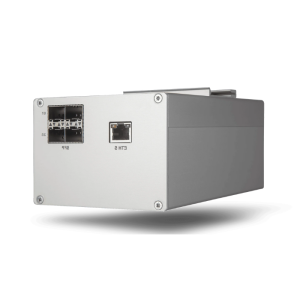

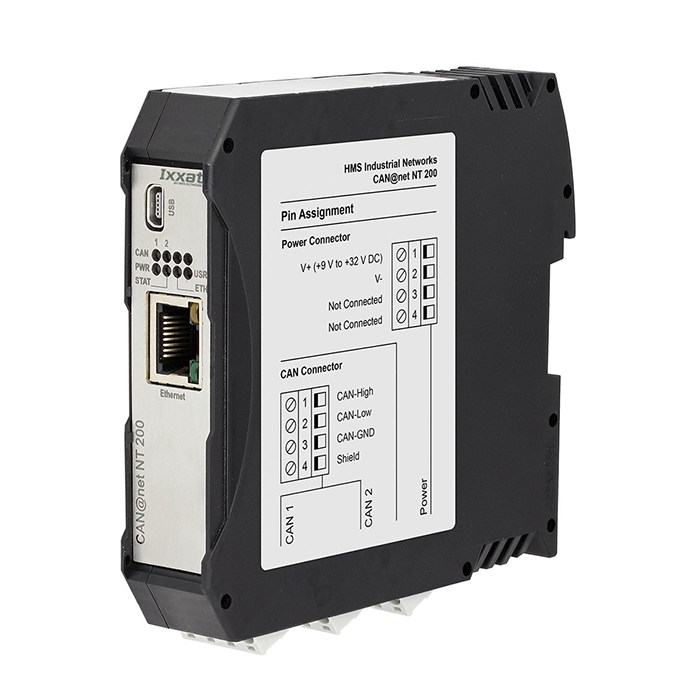

CAN@net NT 100/200/420
Up to 4 x CAN (2 x CAN FD)
CAN-Ethernet gateway, bridge and PC interface
describedCAN @ netNT is available in three variants, such asCAN @ netNT 100 with a classic CAN channel and d-type 9 connectors such asCAN @ netThe NT 200 features two classic CAN channels and as aCAN @ netThe NT 420 has four CAN channels, two of which can be switched between CAN and CAN FD. All devices offer three operating modes and can be used as PC interfaces as bridges and gateways.
CAN@net NT 100_200_420 Data Sheet
Description
I. Features and Benefits
Features
- Up to 4 independent CAN channels (2 CAN FD channels)
- Powerful filtering, ID conversion, data mapping and multiplexing features
- MQTT supports simple cloud connections (publishers and subscribers)
- Execute an action using the Event Trigger's Action Rules.
- Use LUA to program any type of operating rule.
- Windows configuration tool for easy configuration via USB or Ethernet
- Configurable security level for device access (configuration or firmware upload)
- Designed for high performance in harsh environments
Strengths
- Simple coupling of CAN and CAN-FD systems and devices
- Remote Bridging and Simple Remote System Access over Ethernet
- Cost savings due to simple wiring
- Supports system expansion and tree/star topologies
- Enhances system reliability
- Line protection through electrical isolation
II. Deliverables
- CAN@net
- User Manual
- CD (with CAN Gateway Configurator)
- CAN VCI Driver for Windows
- Mini USB Cable
Technical Specifications
| Ethernet interface | 10/100 MBit/s, Twisted Pair, RJ45 Connector |
| CAN Channel | CAN@net |
| CAN Connectors | CAN@net |
| Maximum total number of nodes | 120 |
| CAN bus terminal resistance | 無 |
| CAN Baud Rate | 5 to 1000 kBit/s |
| CAN FD Baud Rate | Arbitration segment baud rate rates up to 1000 kBit/s and data rates up to 8000 kBit/s. Experiments verify the correctness of the data rates. User-defined baud rates are possible. Note: Depending on the specific operating conditions (cable length, setup, remote station, ...) the maximum data rate can be exceeded, but may not be reached. |
| Power supply | 9 V to 36 V DC |
| Current consumption | Normally 110 mA (24 V input voltage); 230 mA (12 V input voltage) |
| Temperature Range | Operating temperature -40 °C to +85 °C |
| Electrical isolation | 1 kV for 1 sec. |
| Certificates | CE, FCC, UL |
| Shell | Nylon housing (top rail mounted) |
| Protection Level | IP20 |
| sizes | Approx. 114.5 x 99 x 22.5 mm |
| weights | Approx. 150 g |
IV. Principle of operation
operating mode
CAN-Ethernet Gateway As a CAN-Ethernet gateway.
The PC interface via the VCI CAN driver provides simultaneous and up to 128

CAN-bEthernet-CAN Bridge The bridge allows CAN messages to be exchanged between CAN systems over TCP/IP over long distances - using the existing Ethernet-based infrastructure. the segmentation of the CAN system also enhances the reliability and fail-safety of the entire system.

functionality
Filtering and Multiplexing
With the help of the mapping table, the exchange of messages between all channels can be configured very flexibly. Filtering and conversion rules can be applied to CAN and CAN FD messages. As a result, the bus load on a single network can be reduced, since only the relevant messages are transmitted to the other networks. For SAE J1939 applications, specific mapping tables are provided to accommodate specific parameters. The data multiplexing/de-multiplexing function supports the mapping. For example: CAN FD frame data to multiple standard CAN telegrams and vice versa.
Action rules are created through intuitive drop down menus of events and actions in the windows based device configuration tool or using LUA scripts.
MQTT for Cloud Connectivity With the available brokers and APPs, such as status messages or system values, can be easily transferred to your smartphone or other devices. Cyclic Transmission: Messages and cycle times are defined in a central cyclic transmission table.
V. Configuration
新CAN@net Configuration and firmware upload of the NT is accomplished through the intuitive Windows Configuration Tool - via USB or Ethernet. Using this tool, configuration of filters, maps, multiplexers or translation rules is very easy and requires no programming skills.

Windows Configuration Tool Support
Order No.
| 1.01.0332.10000 | CAN@net |
| 1.01.0332.20000 | CAN@net |
| 1.01.0332.42000 | CAN@net |
* :: Note that. For CAN-Ethernet-CAN-Bridge please use
VII. Accessories
| Category | Order No. | Product Images |
| Sub-D9 connector with CAN terminals | 1.04.0075.03000 |  |
| CAN communication | 1.04.0076.00180 |  |
| Y CAN Number | 1.04.0076.00001 |  |
Application Examples - How to use the PC Interface

Mobile USB-to-CAN interface for easy CAN (FD) bus access for configuration, service and analysis

Powerful CAN (FD) plug-in boards for test/simulation systems connected to the automotive bus make the system or device

Wireless connection for automotive systems for flexible analysis, configuration and testing
Feature Sheet - Fieldbus Support and Options
|
Software Support for Ixxat PC Interface
Software Supported Interface Types
| CAN Interface | Windows (computer) | D-PDU-API | Linux | QNX | INtime | RTX | VxWorks | Socket CAN | CANopen API | LabView | LabWindows |
| CANnector | ✔ | ** | |||||||||
| CAN-IB640/PCIe | ✔ | ** | ✔ | ✔ | |||||||
| CAN-IB600/PCIe | ✔ | ✔ | ✔ | ✔ | ✔ | ✔ | ✔ | ✔ | ✔ | ||
| CAN-IB500/PCIe | ✔ | ** | ✔ | ✔ | ✔ | ✔ | ✔ | ✔ | ✔ | ✔ | |
| CAN-IB200/PCIe | ✔ | ** | ✔ | ✔ | ✔ | ✔ | ✔ | ✔ | ✔ | ✔ | |
| CAN-IB100/PCIe | ✔ | ** | ✔ | ✔ | ✔ | ✔ | ✔ | ✔ | ✔ | ✔ | ✔ |
| CAN-IB520/PCIe Mini | ✔ | ** | ✔ | ✔ | ✔ | ✔ | ✔ | ||||
| CAN-IB120/PCIe Mini | ✔ | ** | ✔ | ✔ | ✔ | ✔ | ✔ | ✔ | ✔ | ✔ | ✔ |
| CAN-IB630/PCIe 104 | ✔ | ** | ✔ | ✔ | |||||||
| CAN-IB230/PCIe 104 | ✔ | ** | ✔ | ✔ | ✔ | ✔ | ✔ | ✔ | ✔ | ✔ | |
| CAN-IB130/PCIe 104 | ✔ | ** | ✔ | ✔ | ✔ | ✔ | ✔ | ✔ | ✔ | ✔ | ✔ |
| CAN-IB810/PMC | ✔ | ** | ✔ | ✔ | ✔ | ✔ | ✔ | ||||
| CAN-IB410/PMC | ✔ | ** | ✔ | ✔ | ✔ | ✔ | ✔ | ✔ | ✔ | ✔ | |
| CAN-IB400/PCI | ✔ | ** | ✔ | ✔ | ✔ | ✔ | ✔ | ✔ | ✔ | ||
| CAN-IB300/PCI | ✔ | ** | ✔ | ✔ | ✔ | ✔ | ✔ | ✔ | ✔ | ✔ | ✔ |
| USB-to-CAN FD | ✔ | ✔ | ✔ | ✔ | ✔ | ||||||
| USB-to-CAN V2 | ✔ | ** | ✔ | ✔ | ✔ | ✔ | ✔ | ✔ | |||
| USB-to-CAN V2 Plugin | ✔ | ** | ✔ | ✔ | ✔ | ✔ | ✔ | ✔ | |||
| simplyCAN | ✔* | ✔* | |||||||||
| CAN@net | ✔ | ** | ✔ | O | O | O | ✔ | ✔ | |||
| CAN@net | ✔ | ** | O | O | O | O | ✔ | ✔ | ✔ | ||
| CANblue II | ✔ | ** | O | ✔ | ✔ | ✔ |
O = use “generic” mode
** = based on a request
* = Driver installation is not required on the latest Windows and Linux operating systems.