Introduction
Still confused by the complexity of in-vehicle Ethernet? Are you confused about how switches work, or is the concept of VLANs too much for you to grasp? Don't worry! We take you through a simple case study - using only a converter and an in-vehicle Ethernet switch - to easily grasp the idea of VLAN identification and forwarding!
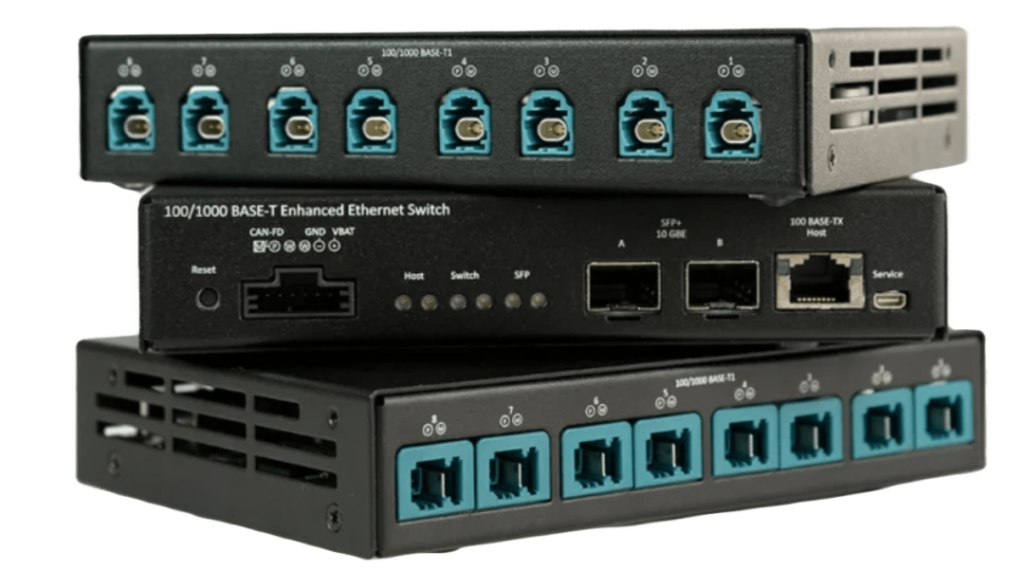
Scenario Modeling and Configuration Preparation
● Honghong Enhanced Ethernet Switch (EES) IP setting: 10.0.0.200
● Host configuration network port IP: 10.0.0.2
● Port A IP: 192.168.20.20
● Built-in transceiver situation: 1 and A are transmitting and receiving each other, and VLAN identification is desired.
● Computer on the side of Macrohon's on-board Ethernet converter IP: 192.168.26.26
Simulation
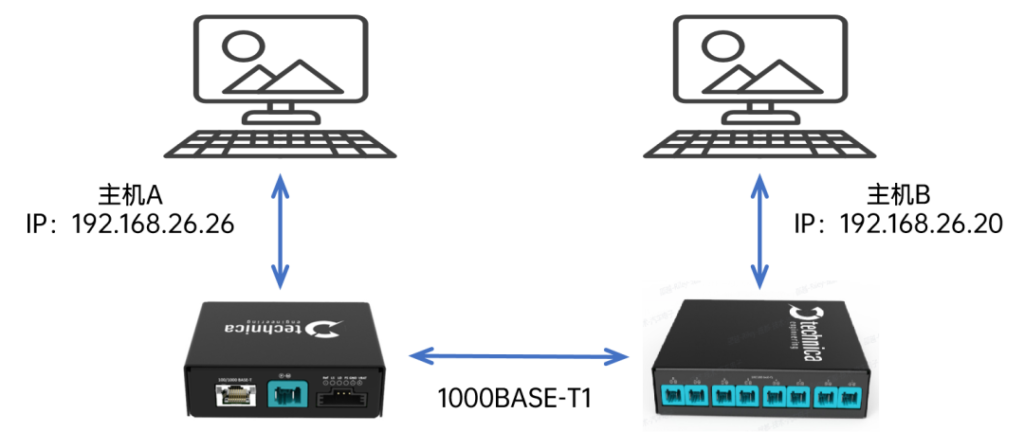
Scenario simulation simulation:The A/B hosts ping each other, the two computers send data to each other and can monitor the corresponding VLAN ID.
As in the above description, the network port configuration is prepared and the switch is configured internally. At this time, there is no need to open the “PORT SEGMENTATION” option, but only in the “VLAN CONFIGURATION”. VLAN CONFIGURATION" to accomplish everything you want.
Setting up the A and 1port interaction rules
● default ID:Aport default ID=A, 1port default ID=11.
● Entrance Rules:Select “allow membership” and write the IDs of both parties to their membership list.
● Export Rules:The choice needs to be made on a case-by-case basis.
Export Rules Setting
● When two ports receive a message with a VLAN Tag on each other, the “Tag Normalized” rule is applied, as shown below.
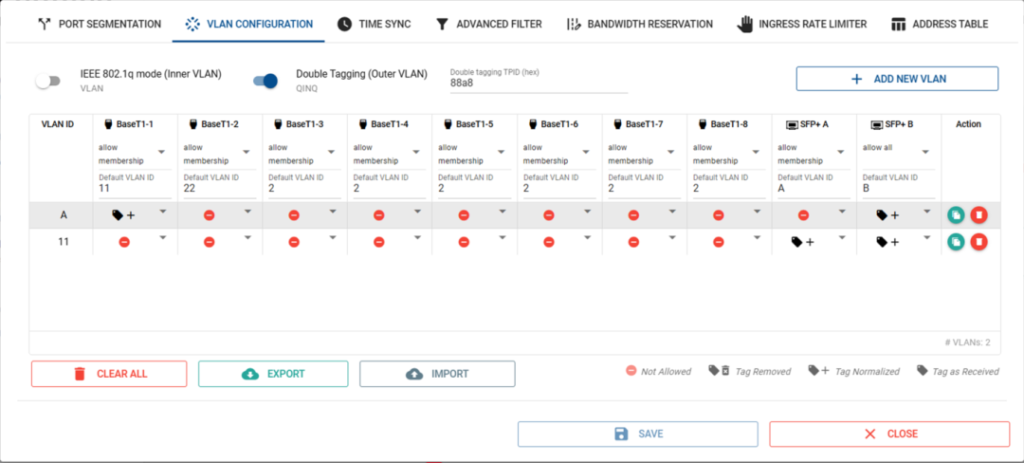
● If two ports ping each other's IPs, then select the “Tag as Received” rule, as shown below:
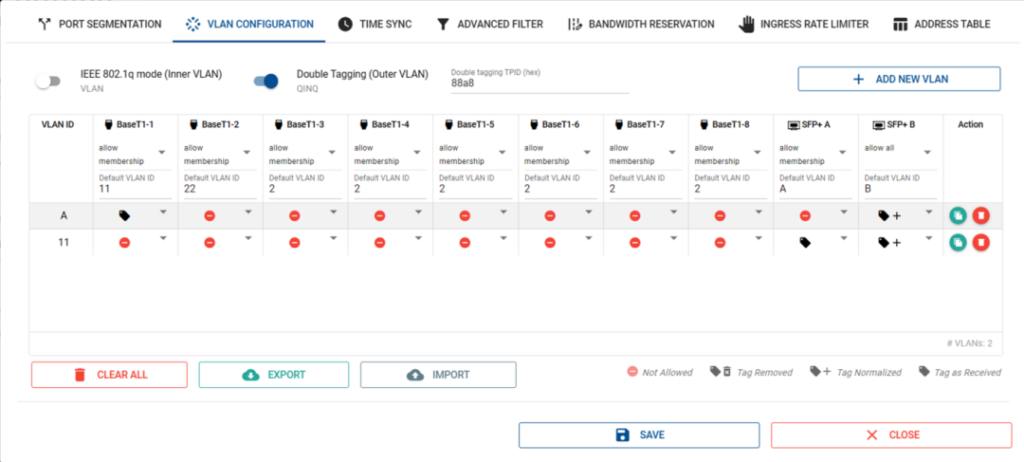
Note: Refer to the VLAN principle. If you can not get ping, please contact us.
Mirror Port Setting
If you need Bport for port mirroring, i.e. Bport default ID=B, ingress rule “allow all”, egress rule “Tag Normalized”, you can do without affecting the original network.
Conclusion
With the above configuration, we can clearly understand the application of VLAN in Carrier Ethernet. If you have any questions about Carrier Ethernet technology/products or would like to get more information, please feel free to consult with Macronix staff, who is committed to providing professional technical support and services.
If you are interested in the aboveContentInterested, welcomeContact Us!