preamble

Top - BI Tools Comparison
In today's data-driven business environment, theChoosing the Right Business Intelligence (BI) ToolsIt becomes a key step for enterprises to improve decision-making efficiency and accelerate digital transformation.
When choosing a BI tool, enterprises usually consider data processing capabilities, data collection, data visualization, ease of use, scalability, and local language support.
In this article, we will make an in-depth comparison of 5 mainstream BI tools in the market, including Domo, Tableau, Power BI, FineBI and Observation Data, aiming to provide a comprehensive and objective reference perspective for organizations. At the same time, we will also exploreHow Domo stands out among these great toolsIt has become the ideal choice for many enterprises to make smart decisions.
Tableau User Interface
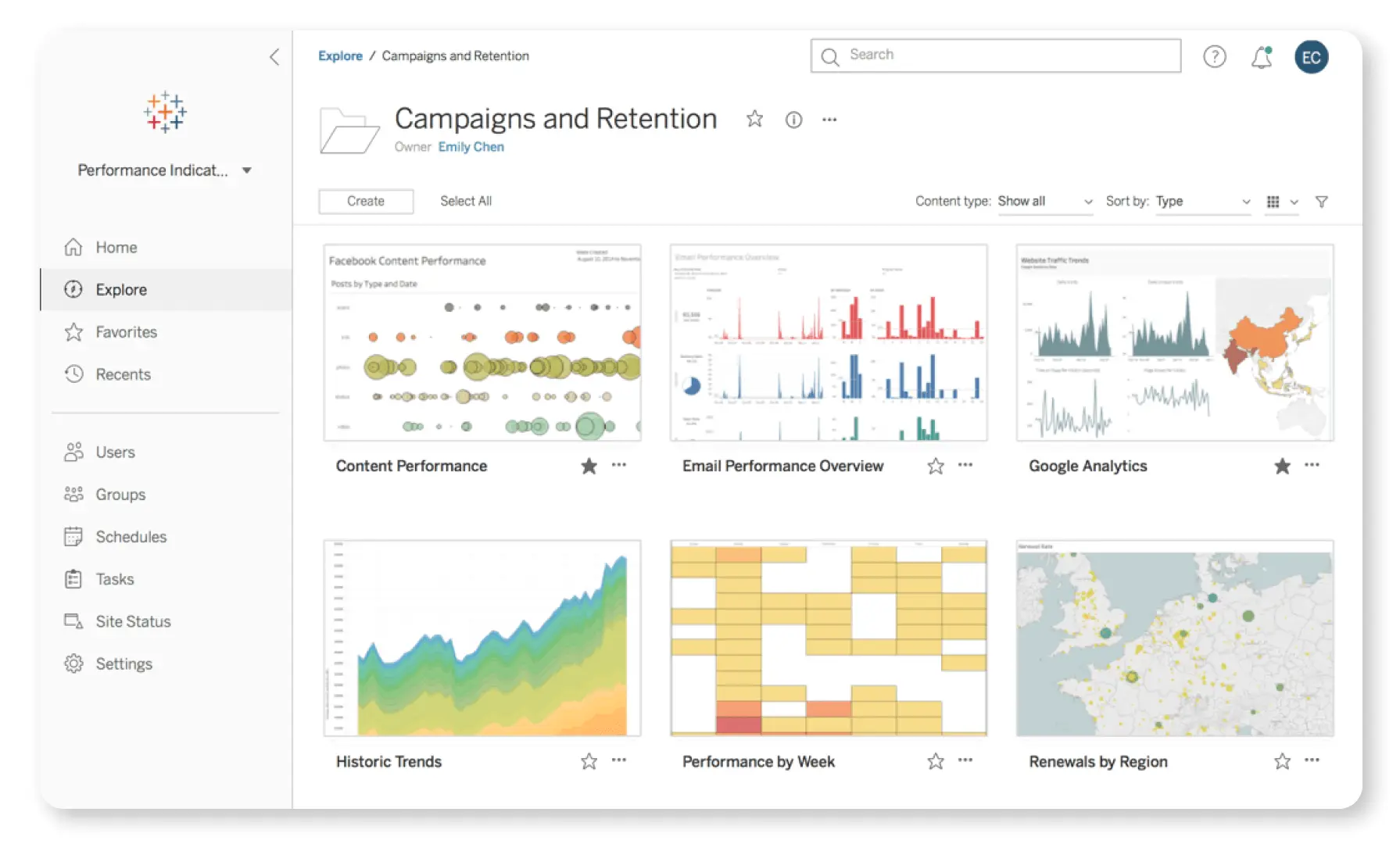
Figure 1 - Tableau User Interface
As a veteran in the BI field, Tableau has long been a favorite among data analysts and business users for its unique drag-and-drop interface and powerful data visualization capabilities. It not only provides rich chart types and highly customizable view options, but also allows users to explore deep insights in data through simple operations.
Although Tableau has withdrawn from the Chinese market, it still has a large global user base.Community Support and Rich Online ResourcesIt can also provide a strong backbone for international users. Tableau is still worth considering for organizations looking for strong visualization capabilities and a self-service analytics experience. However, there is a lack of localized services and technical support for Chinese speakers.
Power BI Interface
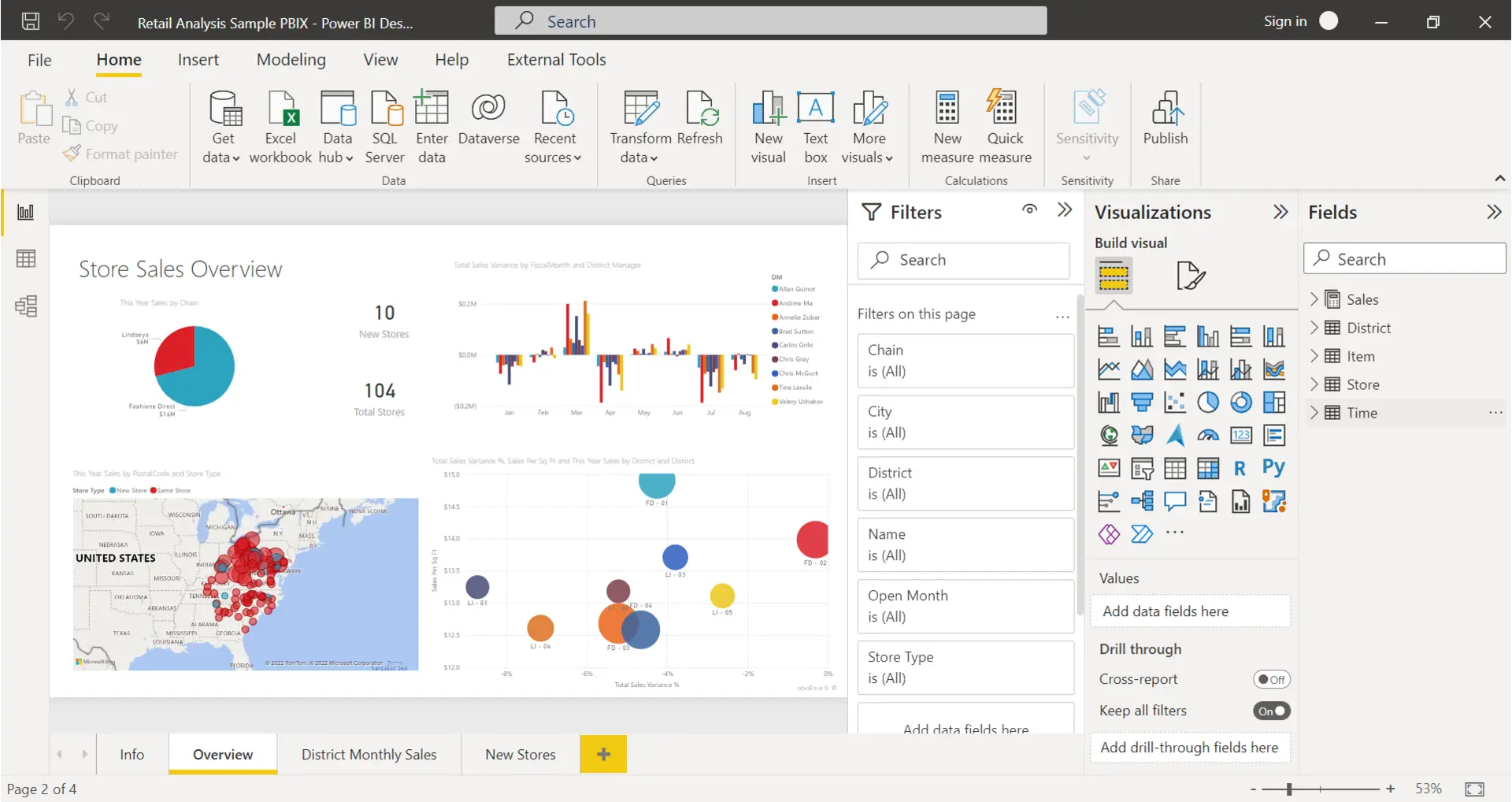
Figure 2 - Power BI Interface
As part of the Microsoft ecosystem, Power BI seamlessly integrates with Office suites (e.g., Excel, SharePoint), making data analysis and report creation more convenient. For organizations that are already deeply integrated into the Microsoft ecosystem, Power BI not only lowers the barriers to data integration, but also accelerates the creation of complex dashboards through an intuitive interface and powerful functionality.
neverthelessFor non-Microsoft usersThese integration advantages are not obvious; moreover, the learning curve of Power BI is a bit steep for beginners and is more suitable for users with professional technical background.
FineBI Interface
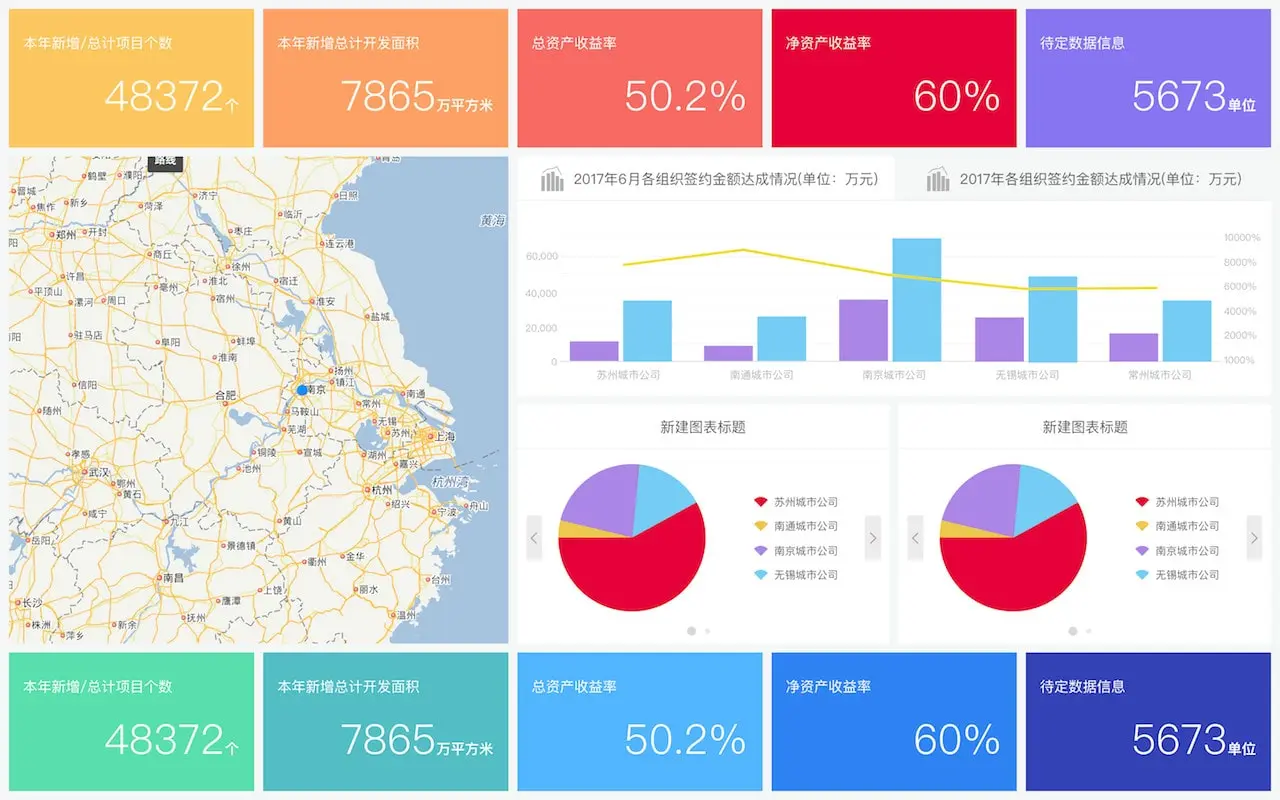
Figure 3 - FineBI Interface
In the Chinese BI market, FineBI has attracted many enterprises with its complete enterprise-level features and user-friendly interface, and its fast update speed and perfect functionality make it suitable for enterprises that need toRapid deploymentFineBI is a Chinese-language enterprise. However, FineBI is relatively limited when dealing with multi-language or cross-border business. Meanwhile, its scalability is not outstanding, which may be insufficient in the high-end customization demand scenario.
Observation Data
Telematics emphasizes a full range of capabilities from data acquisition, processing, analysis to visualization, and is suitable forNeed to respond quickly to market changesThe enterprise. However, for IT users or data scientists, the functionality of Observation Data is a bit thin and may require additional tools for secondary development or high level of customization.
Domo: The Leader in One-Stop Data Analytics Solutions

Domo Enterprise Edition
Domo is known forOne-stop data analysis solutionDomo is famous for integrating data integration, analysis, visualization and collaboration. Through SaaS/PaaS model, Domo supports secondary development, giving enterprises a flexible and scalable environment, and has more than 2,000 famous enterprise users around the world.
However, Domo does not offer a local deployment option, so if an organization prefers a self-built environment and requires high data security, Domo may not be the best choice.
Advantageous Highlights:
- Real-time data insights:Grasp market dynamics and accelerate corporate response
- Full feature coverage:Integration, analysis, visualization, collaboration all in one place
- Flexible Customization:Supports SaaS and PaaS models, providing flexibility for secondary development.
- Global Impact:Users in more than 2,000 enterprises, high market recognition
Conclusion
Each BI tool has its own unique strengths and positioning.If your business needs full functionality and advanced customizationFor enterprises that are deeply integrated into Microsoft's ecosystem, Power BI may be the most suitable; FineBI is suitable for domestic enterprises and scenes that need to be online quickly; and Observation Data satisfies users with relatively simple BI needs.
Regardless of which BI is ultimately chosen, companies should comprehensively evaluateData Processing Capabilities, Data Integration, Data Governance and User ExperienceThe company's tools are oriented to the needs of enterprises, and are fully tested and researched before decision-making to ensure that the final tools can truly solve the pain points of enterprises and promote digital transformation and intelligent upgrading.
Product Recommendation
Domo Enterprise Edition
- Provide one-stop SaaS/PaaS BI solution to quickly integrate multiple data sources
- Complete visualization, collaboration and analytics for one-click insight into where your business is going.
- Supports secondary development and APIs to meet the needs of enterprises for in-depth customization.
- More than 2,000 large-scale enterprise users around the world, market share and reputation are both important.