preamble

CanKing version 7.1 is now available! This update not only fixes the known problems, but also makes a number of breakthrough optimizations in performance and flexibility for smoother operation and better stability;Four new core features have been added and many improvements have been made to the details.The diagnostic capabilities have been greatly enhanced to provide you with a more powerful and smoother experience.
In the following, we will introduce the details of this update to help you quickly grasp the new features of Kvaser software, and then improve your work efficiency.
Software Updates at a Glance: Upgraded Functionality, Fresh Experience

Figure 1 Software Update Overview
◉ CANlib SDK (V3.31.841)
Fixed a bug related to CAN FD frames not being converted correctly, ensuring that all data bytes are displayed in the software application.
◉ J2534 DLL
Fixed PassThruStartPeriodicMsg, the driver now sends correctly formatted ISO-TP messages.
◉ Firmware for Kvaser Memorator, Kvaser Hybrid and Kvaser USBcan devices (V3.34.306)
Improved random number generation and added support for Kvaser Memorator hardware versions.
*Please note that users of the Kvaser Hybrid CAN/LIN, Kvaser Hybrid 2xCAN/LIN, Kvaser Hybrid Pro CAN/LIN, and Kvaser Hybrid Pro 2xCAN/LIN will need to update the firmware prior to utilizing the LIN function. The external pull-up resistor (1kOhm) was previously activated by the slave node rather than the master node, and the firmware update provides a way to fix this. If you need assistance with this, please contact 請發送電子郵件至support.cn@kvaser.com.
◉ Kvaser PCIEcan 8xCAN Firmware (V1.19.774)
Enhanced stability under high loads.
◉ Kvaser CAN Extcap (V1.0)
The timestamp for the Wireshark plugin now starts at the current time.
◉ SocketCAN Driver (V1.19.774)
SocketCAN has been significantly improved. We recommend all users to download a modern kernel.
CanKing 7.1: Four New Features + Various Optimizations
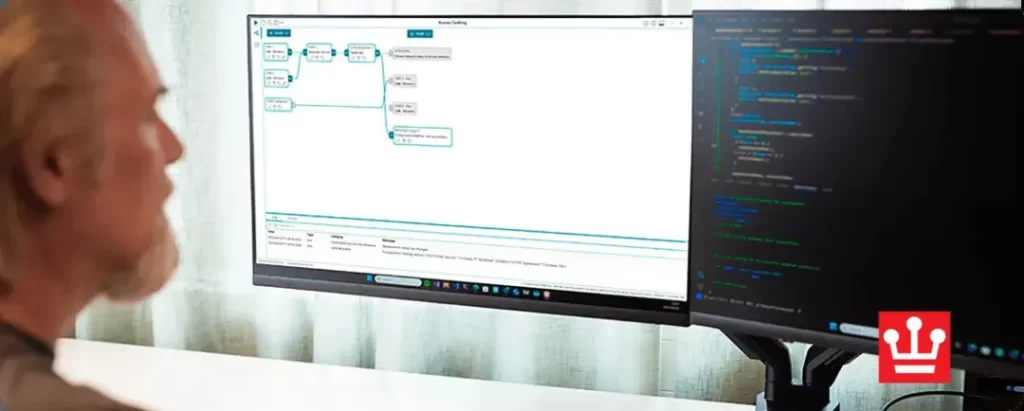
Figure 2 Four New Features
The latest version of Kvaser's free CAN analysis software, CanKing 7.1, is now available, bringing a number of important features and improvements that make it an even more powerful diagnostic tool, especially for hybrid network environments.
Four new features
◉ LIN bus support
Display and analyze LIN messages in the message track. Configure a LIN master node to send LIN request messages according to the schedule defined in the LDF file LIN channels can be configured through the graphical user interface (GUI).When used as a slave node, answers can be inserted through the command line interface (CLI).. Example text commands and generic commands on how to use the CLI can be found in the CanKing Help section of the program. Future updates will include a graphical user interface to facilitate LIN data interaction, similar to the way CAN data is currently handled.
◉ J1939 Protocol Interpreter
With the new J1939 protocol interpreter, users canJ1939 component for a better visualization of CAN frame identifiers.. Extracts the PGN (Parameter Group Number), Source, Destination, and Priority from the message ID and displays them by column in the message track (CanKing 7.1 does not have a mapping or plotting function to display these values).
◉ DBC File Support
Sends predefined messages from DBC files via an easy-to-use menu and adjusts in-frame signal values.You can use the DBC file information when you specify the CAN frames and data to be sent in the CAN Transmit and Periodic CAN Transmit views.
◉ CAN Newspaper Playback
playback of CAN/CAN FD log files.Select the timestamp of the file to use, incorporate error frames, and set the number of iterations.. Assigns recorded channels to specific output channels, ensuring efficient message routing during playback.
Other Improvements
◉ View Optimization
Optimized CAN send and periodic CAN send views, as well as traffic generator nodes.Visualize the DLC (Data Length Code) and data length in the report track.The CAN message data and settings in the periodic CAN transmission view are updated at runtime.
◉ Multi-channel support
CanKing 7.1 supports multiple CAN channels and is a versatile tool for multiple applications.Supports parsing of enumerated signals and multiplexed messages and signals.(DBC files are required to obtain signal values). Please see the User's Guide for system performance requirements when running CanKing 7.1 on multiple channels.
This latest updateCompletely free of charge for users.,Users can download and use it on multiple computers, andNo time limit for use。All Kvaser CAN and LIN hardware is fully compatible with the software.
Learn more about our products
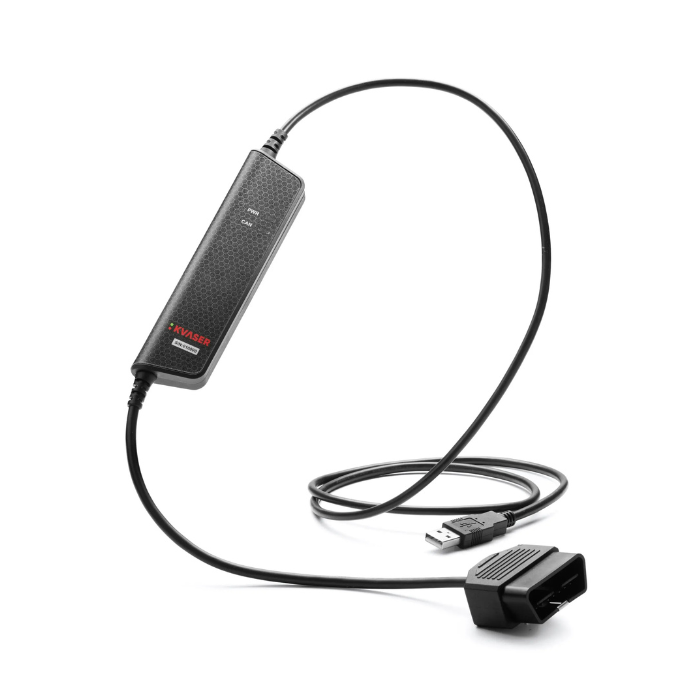
Kvaser Leaf v3 OBD-II
- USB 2.0 CAN interface.
- Power is supplied through a USB Type A connector.
- Compact 16-pin OBD-II connector with superior stress relief.
- Supports CAN FD up to 8Mbit/s.
- Plug and play installation is quick and easy.
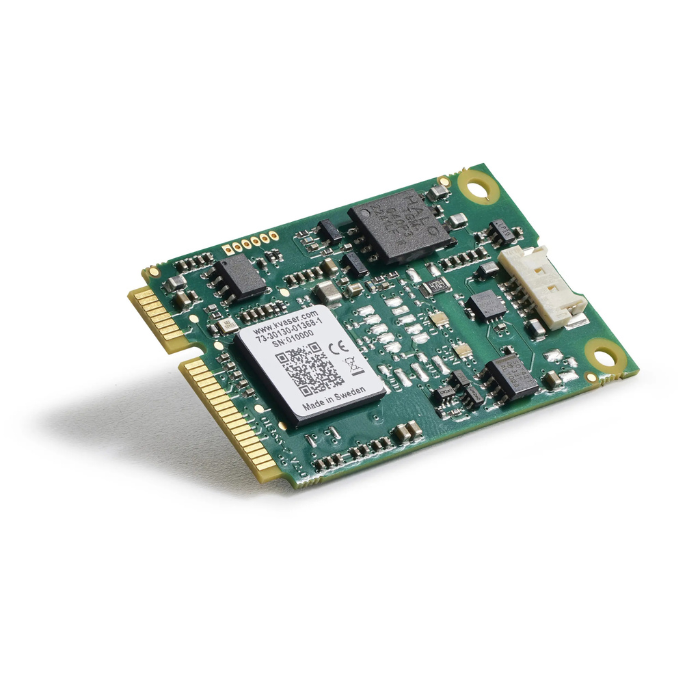
Kvaser Mini PCIe 1xCAN FD over USB
- Supports CAN FD up to 8 Mbit/s (with correct physical layer implementation).
- Quick and easy plug-and-play installation.
- Equipped with SIC transceiver.
- Supports simultaneous use of multiple Kvaser interfaces.
If you are interested, you are welcome to follow us for more information about the article and contact us if you have any questions!