HONGKE Automation softPLC is a programming environment for developing PLCs for real-time operating systems such as Linux, Xenomai, INtime, Windows, etc. It is very suitable for users who need to use IEC61131-3 and PLCopen standard control technology and PLC programming.This article will help you create and develop functions and function blocks using the IEC language.
Hongke Automation softPLC Studio Naming Rules
# Functions written in IEC language are called subroutines.
# Function blocks developed in the IEC language are called UDFBs.
# UDFB stands for “User Defined Function Block”.”
Note: This document is for Automation softPLC Studio version 1.0 or higher. automation softPLC Studio needs to be installed on a Windows PC.
Step 1: Creating and using subroutines
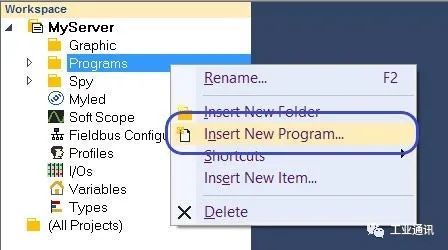
Click Insert New Program from the workspace menu.
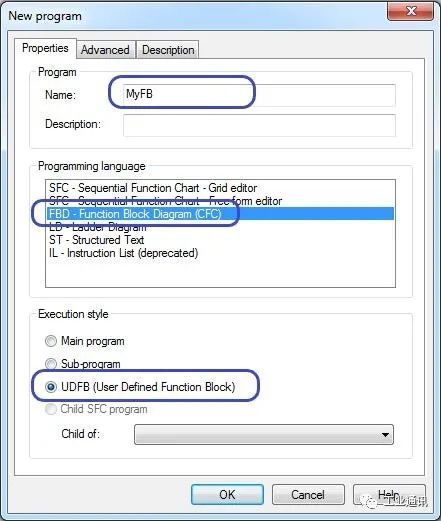
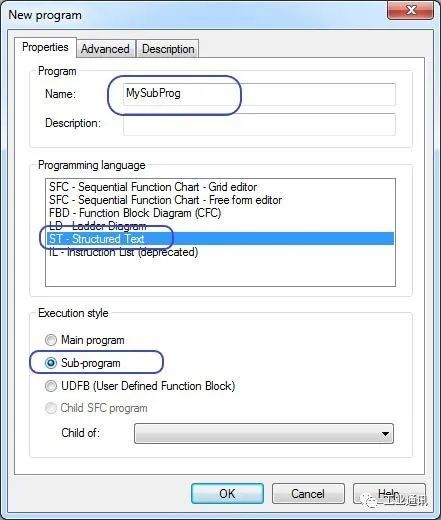
After naming it, select the language you want, note that this language cannot be SFC.
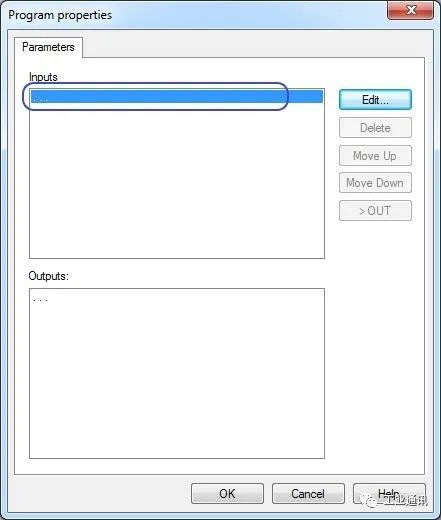
Clicking OK opens another dialog box that lets you define the outputs and outputs of the subroutine.
Use the workspace menu to modify parameters.
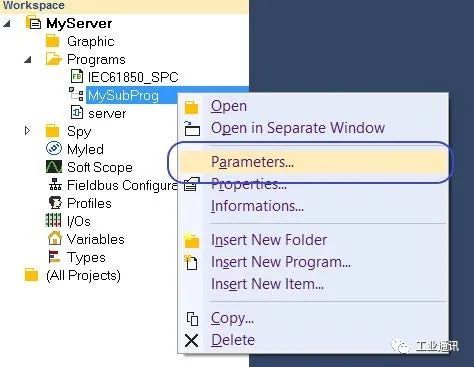
In the Local Variable Editor, you can still see these parameters and can add or modify them
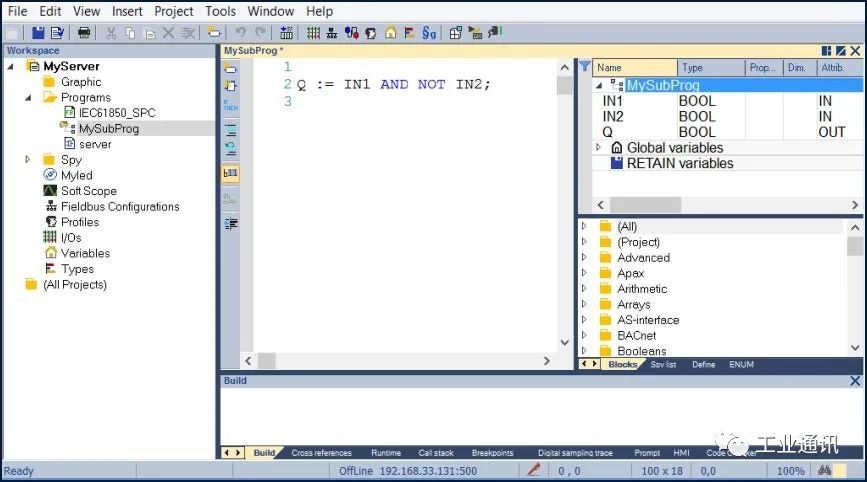
After completing the above settings, the subroutine can be called from other POUs.
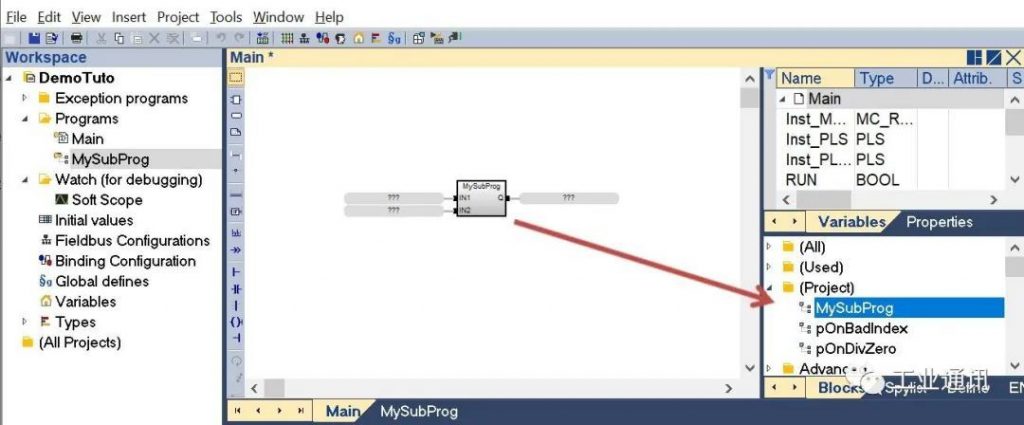
Step 2,Creating and Using a UDFB
The above steps also apply to User Defined Function Blocks (UDFB), note that you need to select the “UDFB” option in the New Program dialog box.